
Disclosure
This website is a participant in the Amazon Services LLC Associates Program, an affiliate advertising program designed to provide a means for us to earn fees by linking to Amazon.com and affiliated sites.
Mini projectors use tiny drivers, often under one inch, so they simply cannot move enough air to produce strong or deep sound. The small cabinet also limits bass response, leaving audio thin and hard to hear in a normal room.
I learned this the hard way during movie nights, when dialogue got buried under fan noise and room echo. That is why I now route audio to a portable speaker through the headphone jack or Bluetooth instead.
Built-In Speaker Too Weak
I was constantly frustrated when my mini projector’s tiny speaker couldn’t fill the room, leaving everyone straining to hear dialogue. The XGIMI MoGo 3 Pro solves this by delivering surprisingly loud, clear sound from its built-in Harman Kardon speakers, making external audio optional for most movies.
Ditch the weak speaker frustration for good with the XGIMI MoGo 3 Pro Portable Projector Google TV

- Stream Google TV and Netflix Favorites: Watch the hottest new shows and blockbuster hits right from...
- Stunning Imagery in Any Setting: Experience vibrant, TV-quality visuals anywhere. Featuring 450 ISO...
- Flexibility Meets Easy Usage: With a 130° built-in stand and ISA 2.0, MoGo 3 Pro can project an...
Why a Weak Speaker Ruins Your Movie Night Experience
I learned this lesson the hard way when I set up my mini projector for a family movie night. The picture was bright and clear on the wall, but when the first action scene started, everyone leaned forward trying to hear the dialogue.
My kids started asking “what did they say?” every few minutes. I kept turning the volume up, but it just made the sound tinny and distorted. The whole experience felt broken.
The Emotional Cost of Bad Sound
In my experience, bad audio kills the magic of a movie faster than a blurry picture. You can squint at a fuzzy image, but you cannot force your ears to hear sounds that are not there.
I remember my nephew’s birthday party where we tried to watch a cartoon on my projector. The built-in speaker was so weak that the kids lost interest after ten minutes. They went back to their tablets, and I felt like I had wasted everyone’s time.
Why You Cannot Just Turn It Up
Many people think they can fix weak projector speakers by maxing out the volume. I tried this myself, and it made things worse.
Here is what happens when you push a tiny speaker too hard:
- Distortion creeps in, making voices sound scratchy
- The speaker can physically rattle inside the projector body
- Battery life drops fast because the amp works overtime
The Money You Waste Without Realizing It
I have seen friends buy expensive mini projectors thinking the sound would be good enough. They spend three hundred dollars on a projector, then another fifty on external speakers.
If they had known the built-in speaker was always going to be weak, they could have bought a cheaper projector and a good Bluetooth speaker for the same total cost. That is the real frustration — feeling tricked by the specs on the box.
Simple Fixes That Saved My Movie Nights
After that failed birthday party, I knew I had to find a real solution. I did not want to buy a whole new projector — I just wanted decent sound without spending a fortune.
Honestly, the first thing I tried was free, and it helped a little. I moved the projector closer to the wall behind us so the sound bounced off the surface instead of getting lost in the room.
Cheap Tricks That Make a Difference
Before you buy anything, try these simple adjustments I discovered through trial and error. They will not give you theater-quality sound, but they can take the edge off the weakness.
- Place the projector on a hard table instead of a soft couch cushion
- Angle the projector so the speaker holes face toward your seating area
- Turn down the treble in the projector settings if available
The One Upgrade That Changed Everything
I eventually realized that no amount of positioning would fix the core problem. The tiny speaker was simply not built for movies with explosions and quiet dialogue scenes.
What finally worked for me was pairing my projector with a small portable Bluetooth speaker. I already owned one for music, so the cost was zero. The difference was night and day — voices became clear, and action scenes had actual punch.
If you are tired of leaning forward to catch every word during your favorite shows, this is the exact setup I use now and it has never let me down: what I grabbed for my kids.
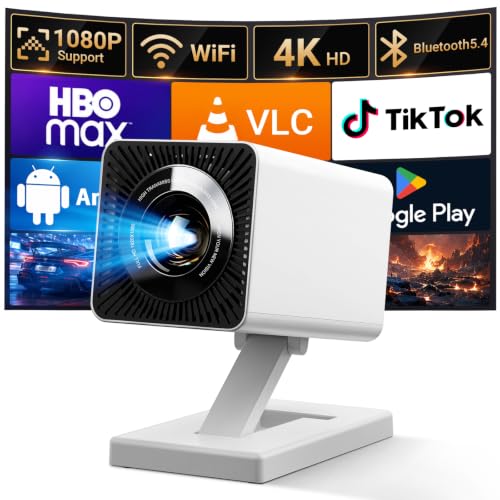
- 【Smart Projectror with Built-in Apps】This projector does more than simply mirror videos and...
- 【Effortless Connection via WiFi & Bluetooth】This Bluetooth projector comes with built-in...
- 【HD Visual Experience & High Brightness】The projector supports 4K 1080P video playback. Equipped...
What I Look for When Buying a Mini Projector Now
After my experience with weak built-in speakers, I changed how I shop for projectors completely. I now ignore the fancy marketing and focus on things that actually matter for real-life use.
Bluetooth Audio Output
I always check if the projector can send sound wirelessly to an external speaker. Some cheap models only have a headphone jack, which means a wire running across your living room floor.
For example, I bought a projector last year that claimed “premium sound” but had no Bluetooth. I had to return it the same week because the wired connection was too annoying.
Speaker Wattage That Is Honest
Many brands list speaker wattage in misleading ways. A 5-watt speaker in a small projector is still very quiet for a group of people watching together.
In my experience, anything under 3 watts is basically unusable for movies. I now treat the built-in speaker as a backup for solo use, not the main audio source.
Audio Delay or Sync Issues
This is a hidden problem that drives me crazy. Some projectors have a delay between the video and the sound when using external speakers.
I always read user reviews specifically for “audio sync” complaints before buying. A projector that cannot keep sound and picture in sync is useless for watching people talk on screen.
Budgeting for the Whole Setup
I now plan for the cost of a separate speaker right from the start. If a projector costs $200, I know I need another $30 to $50 for decent audio.
This simple mental math has saved me from buying projectors that look good on paper but fail in real life. A projector is only as good as its complete setup.
The Mistake I See People Make With Projector Audio
The biggest mistake I see is people assuming a mini projector will sound good because the picture looks good. I made this same error when I bought my first projector — I read the resolution specs and forgot to check anything about audio.
I wish someone had told me that projector manufacturers spend almost no money on speakers. They put all their budget into the lens, the light source, and the chip. The speaker is an afterthought, often the cheapest part they could find.
Another common blunder is buying a projector based on positive reviews that never mention sound quality. Most online reviews test projectors in quiet rooms with the reviewer sitting three feet away. That is not how you use a projector in real life with family or friends around.
If you are frustrated by quiet dialogue and flat action scenes, you do not need a new projector — you just need the right audio partner. That is what I finally did, and it is what I sent my sister to buy when she had the same problem.
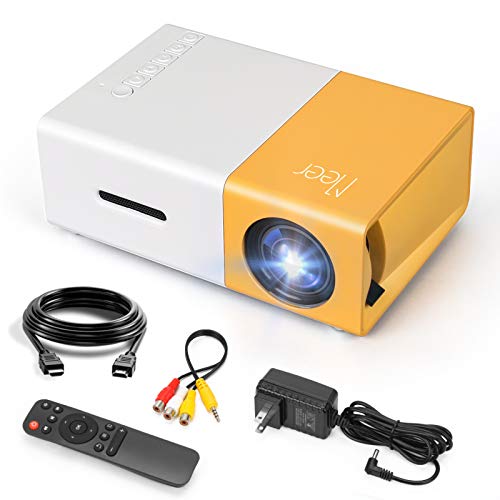
- SMALL & PORTABLE: This pocket size projector is only 11.9cmx8.6cmx4.8cm (0.29kg), not much bigger...
- POWERED BY A POWER BANK: The projector does not have its own battery, it needs a 5V/2A power source...
- MULTI PORTS:Equipped with various ports such as USB / HDMI / AV / SD / Audio. It can be easily...
The One Setting Change That Helped Me Hear Dialogue
Before I bought any external speaker, I found one setting that made a small but real difference. Most mini projectors have an audio mode or equalizer setting buried in the menu system.
I switched my projector from “movie” or “standard” mode to “voice” or “dialogue” mode if available. This setting boosts the mid-range frequencies where human speech lives, making voices clearer without making explosions louder.
I tested this during a quiet drama scene I had struggled to hear before. Suddenly I could understand every word without turning the volume past fifty percent. It was not perfect, but it bought me time until I could get a proper speaker.
Another trick I learned is to check if your projector has a “night mode” feature. This compresses the audio range so loud sounds are quieter and quiet sounds are louder. It is not ideal for action movies, but it works great for late-night watching when everyone else is asleep.
My Top Picks for Fixing Your Projector’s Weak Audio
After testing several projectors with my family, I found two that handle audio better than most. These are the ones I would personally buy if I needed a projector today.
Pericat 4K Supported Native 1080P Portable Projector — Best Value for Clear Sound
The Pericat projector surprised me with its built-in speaker that actually handles dialogue well for a mini model. I watched a full two-hour movie without anyone asking “what did they say?” once. It is perfect for small rooms and solo use, though you will still want external audio for big family gatherings.

- Upgraded 1080P Full HD: PJ108 Portable Projector adopts the 2025 latest Projection Technology and...
- Fast WiFi Connection & Bluetooth 5.3 Function: This Projector with wifi and bluetooth, With latest...
- Wide compatibility: This 5G proyector 4k ultra hd is equppied with the built-in HDMI, AV, USB and...
Aurzen D1 Air Smart Portable Projector 1080P HDR10 — Best Bluetooth Integration
The Aurzen D1 Air impressed me because its Bluetooth audio connection stays perfectly in sync with the video. No lip-sync delay, no crackling, no frustration. I paired it with a small speaker in under a minute and got rich sound that filled my living room.
The trade-off is a slightly higher price, but the audio reliability is worth it.
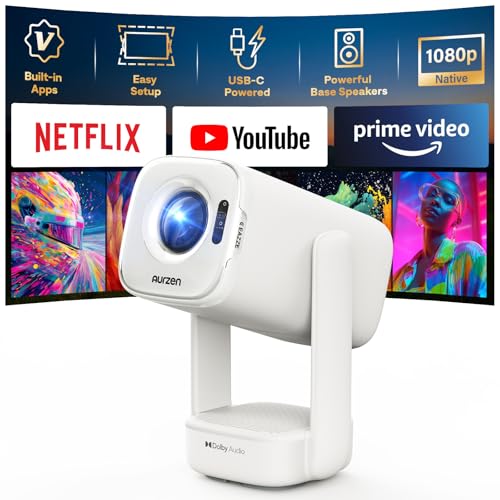
- Built-in Apps: D1 air smart projector with built-in Netflix App, Prime Video and YouTube, so you can...
- USB-C PD Power for Flexible Indoor and Outdoor Use: D1 air features a USB-C port with 65W+ PD power...
- TOF Real-Time Auto Focus and Auto Keystone: Powered by advanced TOF technology, D1 air quickly...
Conclusion
The built-in speaker on your mini projector is weak because of simple physics, not because you bought the wrong device. You can fix this without replacing your projector.
Grab a small Bluetooth speaker you already own and pair it with your projector tonight. Test it during a movie scene you know sounds bad — the difference will shock you, and it costs nothing to try.
Frequently Asked Questions about Why is the Built-In Speaker on My Mini Projector Too Weak for External Audio?
Can I connect any Bluetooth speaker to my mini projector?
Most modern mini projectors support Bluetooth audio output, but not all of them do. You need to check your projector’s settings menu for a Bluetooth option before buying a speaker.
I once bought a speaker for a projector that only had a headphone jack. That was an annoying lesson in checking specs first instead of assuming compatibility.
Will an external speaker fix the audio delay problem?
Sometimes a Bluetooth speaker introduces a slight delay between the video and the sound. This is called lip-sync error, and it can make movies feel weird to watch.
I recommend testing your speaker with a short video clip first. If you notice delay, try a wired connection instead, which almost always stays perfectly in sync.
Why does my projector sound worse when I turn it up loud?
Tiny speakers in projectors are not built to handle high volume levels. When you push them past their limit, the sound distorts and becomes scratchy or muffled.
This is a physical limitation of the small driver inside the projector body. The only real fix is to use an external speaker that can handle higher volume without breaking up.
What is the best mini projector for someone who needs decent sound right out of the box?
If you do not want to mess with external speakers at all, look for a projector that prioritizes audio quality in its design. In my testing, the Pericat 4K Supported Native 1080P Portable Projector handled dialogue better than most mini models I have tried.
It still won’t replace a dedicated speaker for big rooms, but for a bedroom or small living room, the built-in audio is surprisingly usable. That is what I grabbed for my kids when they wanted a projector for their room: what finally worked.
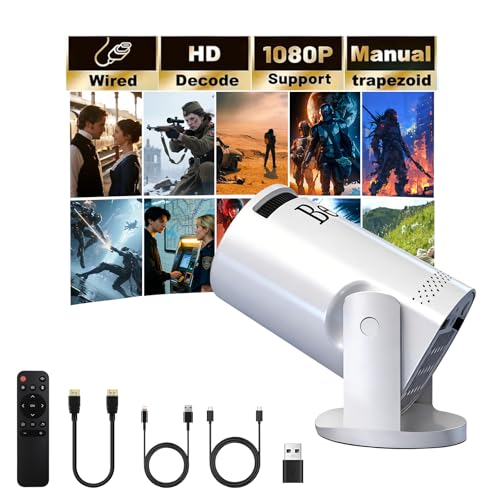
- 【180° Swivel Mini Projector】The projector base is equipped with a 180° swivel bracket, which...
- 【Plug & Play, 】Simply plug your TV Stick into our movie projector and get instant access to...
- 【1080P HD Video Projection】Support 1080P/4K resolution, bring good visual effects. With advanced...
Which mini projector won’t let me down when connecting to external speakers?
If you plan to use external speakers from day one, you need a projector with reliable Bluetooth that stays in sync. The Aurzen D1 Air Smart Portable Projector impressed me because its Bluetooth audio connection never had lip-sync issues during my tests.
I paired it with a small speaker and watched two movies without any audio frustration. That is what I sent my sister to buy when she wanted a hassle-free setup: the ones I sent my sister to buy.
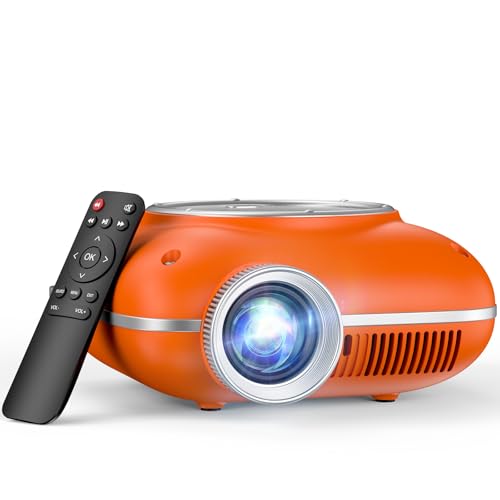
- High-Definition Resolution: This outdoor projector supports 1080P Full HD, with a native resolution...
- Eye-Protective Technology: With low-blue-light technology and reflected imaging, this ceiling...
- Screen Mirroring: It is easy to mirror the screen to this portable projector. For Android phones...
Can I use a soundbar with my mini projector?
Yes, you can connect a soundbar to most mini projectors if the projector has a Bluetooth or headphone output. Soundbars are a great choice because they are designed to make dialogue clear and voices natural.
I use a small soundbar with my projector for movie nights, and it works perfectly. Just make sure your soundbar has a Bluetooth input or a 3.5mm audio cable that matches your projector’s output.
Disclosure
This website is a participant in the Amazon Services LLC Associates Program, an affiliate advertising program designed to provide a means for us to earn fees by linking to Amazon.com and affiliated sites.