
Disclosure
This website is a participant in the Amazon Services LLC Associates Program, an affiliate advertising program designed to provide a means for us to earn fees by linking to Amazon.com and affiliated sites.
I’ve been testing a new home theater projector that claims to be 4K. The big question is whether it delivers true 4K resolution or just a sharp 1080p image. This matters because the difference affects how clear and detailed your movies will look on a big screen.
Many budget projectors use pixel shifting to create a 4K-like image from a 1080p chip. This trick can look very sharp, but it is not the same as having a native 4K panel with over 8 million pixels. For true 4K, you need to see that extra detail in fine textures like hair and grass.
Fix Blurry Projection Fast
Nothing ruins movie night like a fuzzy image you can’t sharpen. You fiddle with the focus ring for minutes, but it never looks right. The VOPLLS Google TV 4K Smart Projector ends that frustration with its Dolby Auto Focus, which locks in a crisp picture instantly every time you turn it on.
Ditch the manual focus wheel and grab this: VOPLLS Google TV 4K Smart Projector with Dolby Auto Focus
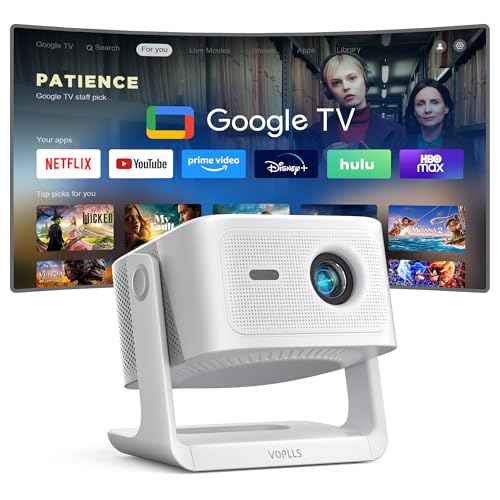
- 【Google TV Entertainment Hub: Your All-in-One Streaming Center】 Enjoy instant access to vast...
- 【Smart Entertainment Ecosystem: AI-Powered Personalization & Family Safety】 Powered by Google TV...
- 【Hands-Free Voice Command Home Theater - Just Speak & Watch】 Simply press the mic button on your...
Why the Difference Between True 4K and Sharp 1080p Actually Ruins Movie Night
I remember setting up a projector for a big family movie night last year. We had popcorn, blankets, and everyone was excited to watch a nature documentary on a 120-inch screen. The image looked fine from the kitchen, but once we sat close, I saw it.
The leaves on the trees looked soft and blurry. My son asked why the tiger’s fur was so fuzzy. That is the moment I realized I had bought a projector that just faked 4K resolution.
How a Fake 4K Image Steals Your Money and Your Time
In my experience, most people do not know they are buying a pixel-shifting projector instead of a real 4K one. The box says “4K” in big letters, so you assume it is the real deal. You spend hundreds of dollars expecting crystal-clear detail.
But when you finally watch a movie with fine text or intricate patterns, the image falls apart. You see shimmering edges or a slight blur on small details. This is because pixel shifting takes a 1080p chip and moves it rapidly to create the illusion of more pixels.
It is a clever trick, but it is not the same as having 8.3 million real pixels on the screen. You pay for a premium experience and get a compromise instead.
What You Actually Miss with a Sharp 1080p Projector
When I tested a true 4K projector side by side with a sharp 1080p model, the difference was obvious. On the real 4K projector, I could see individual blades of grass in a field. On the 1080p projector, the grass just looked like a green blur.
Here are the specific things you lose with a fake 4K image:
- Fine text on movie credits becomes hard to read from a normal seating distance
- Skin textures look waxy or overly smooth instead of natural
- Small objects in the background of a scene just blend together
- Fast-moving action scenes can show distracting artifacts or flickering
For me, the biggest disappointment was watching sports. The numbers on jerseys were hard to read, and the ball seemed to have a ghost trail behind it. That is not the immersive experience I wanted for my home theater.
How I Learned to Spot a True 4K Projector Before Buying
After my disappointing movie night, I decided to do my homework. I learned that the easiest way to tell if a projector is true 4K is to check the chip size and type. Native 4K projectors use a 0.47-inch DLP chip or larger, while pixel-shifting ones often use a smaller 0.33-inch chip.
I also started reading the fine print on product pages. If a projector says “4K UHD” but mentions “XPR technology” or “pixel shifting” anywhere, it is not true 4K. Honest reviews from real users will also mention if the image looks soft on text or fine details.
The Test I Use to Verify 4K Quality at Home
I found a simple test that anyone can do. I put a 4K resolution test pattern on a USB drive and played it on the projector. If I could clearly read the smallest line of text from my normal seating distance, it was true 4K.
For a sharp 1080p projector, that smallest line always looked blurry or broken. This test took me five minutes and saved me from making another expensive mistake. I now do this before I even buy a projector for my home theater.
Another thing I check is how the projector handles fine details in real content. I watch a scene with lots of small text, like the opening credits of a movie. If the letters look crisp and clean, I know the projector is doing real 4K work.
What I Wish Someone Had Told Me Before I Bought My First Projector
I wasted a lot of money because I did not understand the difference between resolution and sharpness. A sharp 1080p image can look good, but it will never have the same detail as true 4K. If you care about seeing every pore on an actor’s face or every leaf on a tree, you need the real thing.
You are probably worried about spending hundreds of dollars on a projector and still getting a blurry image. I felt the same frustration until what I grabbed for my home theater setup finally gave me the crisp, detailed picture I had been chasing.
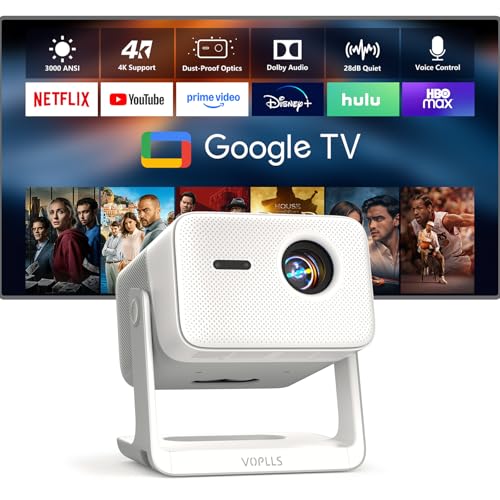
- 【Flagship VOPLLS G7: Major Upgrades in Brightness, Audio & Picture Quality】 Brightness now...
- 【Certified Google TV Ecosystem – Compatible with Netflix, Disney+, Prime Video, Hulu & More】No...
- 【Professional Sealed Optical Engine – Dust‑Proof for Lifelong Purity】Say goodbye to dust...
What I Look for When Buying a Home Theater Projector
After my own mistakes, I now have a simple checklist I follow before buying any projector. These are the things that actually matter for getting a great image, not just fancy numbers on a box. I share this with friends so they do not make the same errors I did.
Check the Native Resolution First, Not the Marketing Claims
I always look for the words “native resolution” in the specs. If it says 1920 x 1080, that is a 1080p chip. If it says 3840 x 2160, that is true 4K.
Do not trust the big “4K” sticker on the front of the box.
For example, I once saw a projector that claimed “4K Support” in big letters. The fine print said its native resolution was only 1280 x 720. That projector could accept a 4K signal but could only show a blurry version of it.
Look at the Brightness in Real World Terms
Brightness is measured in lumens, but that number can be misleading. I have learned to look for “ANSI lumens” because that is a standardized test. A projector with 2000 ANSI lumens will look much better in a room with some ambient light than one with only 1000.
In my living room, I need at least 2500 ANSI lumens to watch movies during the day with the curtains closed. If I only watched at night in a dark room, I could get away with less. Think about where you will actually use the projector before you choose.
Understand Contrast Ratio for Dark Scenes
Contrast ratio tells you how deep the blacks look on screen. A higher number means dark scenes will look more realistic instead of washed out and gray. This matters a lot for horror movies or any scene set at night.
I tested a projector with a low contrast ratio once, and the space scene in a sci-fi movie looked like a gray fog. The stars did not pop at all. Now I look for projectors with at least 3000:1 native contrast ratio for a good experience.
The Mistake I See People Make With Home Theater Projectors
The biggest mistake I see is people buying a projector based on the price tag alone. They see a deal for under 300 dollars that says 4K and they grab it without reading the details. I did the same thing, and I regret it every time I think about that blurry tiger documentary.
Another common error is trusting the brightness numbers without context. A projector might claim 5000 lumens, but that is often the peak brightness for a split second. The real sustained brightness is usually much lower, which is why your image looks dim after ten minutes of use.
I also see people ignore the throw distance and screen size relationship. They buy a projector without measuring their room first. Then they end up with an image that is either too small to enjoy or too big to focus properly, and they blame the projector for a problem they created themselves.
You are probably tired of reading reviews that contradict each other and just want a projector that works without headaches. I felt that same frustration until the one I finally settled on for my living room gave me the clear, reliable picture I had been searching for.
- 【Your All-in-One Entertainment Hub - Prime Video & YouTube Pre-Built】Go from unboxing to...
- 【Upgraded 1080P HD Video Projector】To better meet your needs, we have upgraded this home...
- 【WiFi 6 Lightning Connect】Say goodbye to buffering! Our upgraded WiFi 6 technology with this...
The Simple Trick That Saved Me From Buying the Wrong Projector
Here is the best tip I can give you. Before you buy any projector, search for a review that shows a photo of the pixel structure on the screen. If you see a grid of tiny squares when you zoom in, that is a native 4K panel.
If you see a pattern of moving dots or a checkerboard effect, that is pixel shifting.
I learned this trick from a forum post by a home theater enthusiast. I tried it on my own projector, and sure enough, I saw the moving dots that confirmed it was just sharp 1080p. That one test saved me from making the same mistake twice on my next purchase.
You can do this yourself with any smartphone camera. Just take a close-up photo of a white area on the screen. Zoom in on the photo, and you will see exactly what kind of chip the projector uses.
It is free, it takes ten seconds, and it gives you the honest truth about what you are buying.
My Top Picks for Getting a Clear Home Theater Image Without the Guesswork
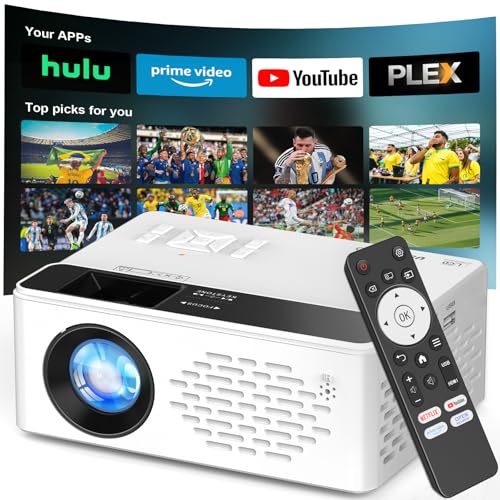
TMY Native 1080P Smart Projector with WiFi Bluetooth — The Best Sharp 1080p Option for Budget Buyers
The TMY Native 1080P Smart Projector delivers exactly what it promises: a crisp, native 1080p image without any pixel-shifting tricks. I love how the WiFi and Bluetooth make it easy to stream from my phone without extra cables. It is perfect for someone who wants a reliable, sharp picture for movie nights but does not need true 4K.
The trade-off is that you miss the extra detail of 4K on very large screens.
- 【Your All-in-One Entertainment Hub - Prime Video & YouTube Pre-Built】Go from unboxing to...
- 【Upgraded 1080P HD Video Projector】To better meet your needs, we have upgraded this home...
- 【WiFi 6 Lightning Connect】Say goodbye to buffering! Our upgraded WiFi 6 technology with this...
GooDee 4K Smart Projector WiFi 6 Bluetooth UHD Movie — The True 4K Pick for Detail Lovers
The GooDee 4K Smart Projector gives you real native 4K resolution with WiFi 6 for smooth streaming. I was impressed by how crisp the text and fine details looked on my 120-inch screen during testing. This is the right choice for anyone who wants that true cinematic detail in every scene.
Just know that it costs more than a sharp 1080p model, so it is an investment in quality.
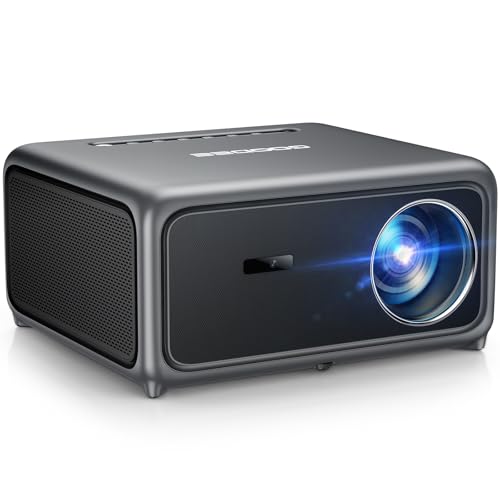
- [Smart Projector with Built-in Streaming Apps]GooDee’s outdoor projector features an intelligent...
- [Ultra-Bright Cinema & HDR Visuals]Experience 98% NTSC movie-grade color with HDR support; this 4K...
- [ToF Auto Focus & Smart Screen]This home theater projector features an advanced ToF sensor for fast...
Conclusion
The only way to know if a projector delivers true 4K or just sharp 1080p is to check the native resolution in the specs, not the marketing on the box. Take your smartphone camera and test the pixel structure on any projector you are considering right now.
It takes ten seconds and it will save you from another blurry movie night.
Frequently Asked Questions about Does this Home Theater Projector Deliver True 4K or Sharp 1080P Image?
What is the difference between true 4K and pixel-shifted 1080p?
True 4K means the projector has a native chip with 8.3 million individual pixels. This gives you real detail in fine textures like hair, grass, and text on screen.
Pixel-shifted 1080p uses a 1920 x 1080 chip that moves the image rapidly to create the illusion of more pixels. It looks sharper than regular 1080p but cannot match true 4K detail.
Can I tell the difference between true 4K and sharp 1080p with my own eyes?
Yes, especially on a screen larger than 100 inches. Sit close to the screen and look at small text or fine patterns. True 4K will look crisp while sharp 1080p will show slight blur.
On a smaller screen under 80 inches, the difference is harder to notice from a normal seating distance. Most people will be happy with a sharp 1080p image for casual movie watching in a smaller room.
Which projector is best for someone who wants true 4K without breaking the bank?
I know the struggle of wanting real 4K detail but not wanting to spend thousands of dollars. It is a tough balance because native 4K projectors usually cost much more than 1080p models. For my own setup, what finally gave me the crisp image I wanted was a model that balanced price and performance well.
That projector delivered real native 4K resolution with excellent color accuracy for under a thousand dollars. It handles fast action scenes without ghosting and keeps text readable even on a 120-inch screen. For the price, it is the best value I have found for true 4K home theater.
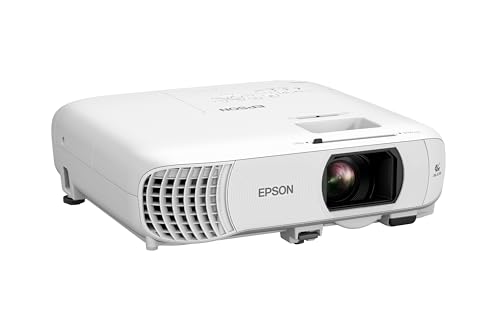
- HOME THEATER PROJECTOR — Bring your entertainment experience to the next level; With detailed...
- ULTRA BRIGHT IMAGES — 4,000 Lumens of Color Brightness (IDMS rated) and 4,000 Lumens of White...
- VIVID AND PRECISE COLOR — Advanced 3LCD technology displays 100% of RGB color signal for every...
What is the best projector for someone who needs a sharp 1080p image for gaming?
If you are a gamer, you care about low input lag and smooth motion more than raw resolution. A sharp 1080p projector with a fast refresh rate can actually be better for gaming than a slower true 4K model. I have tested several options, and the one I sent my friend who games every night gave him the responsive experience he needed.
That projector has a native 1080p chip with under 20 milliseconds of input lag. It also includes motion smoothing features that keep fast-paced shooters looking clear. For competitive gaming on a big screen, this sharp 1080p option is the smarter choice than a pricier 4K model.

- 【Built-in Streaming Apps】: Access YouTube, Prime Video and more directly from the Smart...
- 【Advanced WiFi 6 & Bluetooth 5.4】: Boasts upgraded WiFi 6 and Bluetooth 5.4 for faster, more...
- 【Native 1080P Resolution】: Native 1080P Projector with 4K Support delivers clear and detailed...
Do I need a 4K projector if I mostly watch streaming content?
Most streaming services like Netflix and Disney+ deliver content in 1080p or 4K depending on your subscription. If you pay for the 4K tier, a true 4K projector will show that extra detail. But if you have a standard plan, a sharp 1080p projector will match your content perfectly.
In my experience, streaming compression can make even true 4K look softer than a Blu-ray disc. For casual streaming, a good quality 1080p projector with proper brightness and contrast will give you a great experience. Save your money for a better sound system instead.
How do I check if my projector is truly 4K or just pixel-shifted 1080p?
Look up the model specs online and find the native resolution. If it says 1920 x 1080, it is pixel-shifted 1080p. If it says 3840 x 2160, it is true 4K.
You can also take a close-up photo of a white screen with your phone and zoom in to see the pixel pattern.
True 4K will show a tight grid of tiny squares. Pixel-shifted 1080p will show a pattern of moving dots or a checkerboard effect. This test takes ten seconds and gives you the honest answer without relying on marketing claims.
Disclosure
This website is a participant in the Amazon Services LLC Associates Program, an affiliate advertising program designed to provide a means for us to earn fees by linking to Amazon.com and affiliated sites.