
Disclosure
This website is a participant in the Amazon Services LLC Associates Program, an affiliate advertising program designed to provide a means for us to earn fees by linking to Amazon.com and affiliated sites.
You just got your gaming projector set up, and within minutes it feels like a space heater. This heat is normal, but it can be scary and might even shorten your projector’s life if ignored.
High-intensity lamp bulbs and powerful internal components generate extreme heat under constant gaming use. This is different from watching a movie, where the brightness and processing load are often lower.
Stop Overheating With Better Cooling
Gaming projectors get hot fast when their cooling systems can’t keep up, which leads to shutdowns mid-game. The Epson Home Cinema 1100 uses 3LCD technology that runs cooler than many competitors, so your projector stays stable during long sessions. This means less heat buildup and more uninterrupted play.
End the overheating frustration with the projector that stays cool when you need it most: Epson Home Cinema 1100 3LCD Wireless 1080p Projector

- Exceptional Picture Quality — Provides stunning, detailed 1080p images and fast data processing...
- Ultra Bright Images — 3,400 lumens of color brightness (IDMS rated) and 3,400 lumens of white...
- Outstanding Picture Brightness — Advanced 3LCD technology displays 100% of the RGB color signal...
Why Overheating Ruins Your Gaming Sessions and Your Wallet
I remember the first time my projector shut down mid-boss fight. My son was furious, and I was staring at a black screen wondering if I just wasted $800.
That sudden shutdown is called thermal protection. It happens when the projector gets too hot to function safely.
In my experience, this problem matters because it kills the fun and breaks your budget at the same time.
The Frustration of a Dead Screen Mid-Game
You are two minutes away from winning. Then the fan roars like a jet engine, and the screen goes dark.
That is not a glitch. That is your projector begging for a break. I have seen this happen with many friends who bought cheap gaming projectors online.
They thought they were saving money. Instead, they got a device that quits every thirty minutes.
The Hidden Cost of Heat on Your Hardware
Heat does not just cause shutdowns. It slowly kills your projector from the inside.
- The lamp dims faster when it runs hot constantly.
- Internal plastic parts can warp or crack over time.
- The color accuracy shifts, making games look washed out.
In my experience, a projector that runs hot for six months will look noticeably worse than one kept cool. You lose picture quality long before the bulb actually burns out.
Why Gaming Is Harder on a Projector Than Movies
When you watch a movie, the brightness changes scene to scene. Dark scenes let the lamp rest a little.
But gaming keeps the projector at full power for hours. Bright menus, fast action, and constant high contrast demand maximum output.
I learned this the hard way when my first projector died after only eight months of nightly gaming. A friend who only watched movies got three years out of the same model.
Simple Fixes That Kept My Projector Cool During Long Gaming Sessions
Honestly, I thought my projector was just broken. Then I realized I was making three simple mistakes that made it overheat faster than it should.
Once I fixed these, my gaming sessions went from thirty minutes to four hours without a single shutdown. Here is what actually worked for us.
Give Your Projector Room to Breathe
I used to set my projector on a shelf with barely two inches of space above it. That was a huge mistake.
Projectors suck in cool air from the sides or front and blow hot air out the back. Blocking those vents traps heat inside the case.
In my experience, you need at least six inches of clearance on all sides. I moved mine to an open cart, and the temperature dropped noticeably within ten minutes.
Keep the Air Filters Clean
Dust is the silent killer of gaming projectors. I learned this when I pulled the filter out of mine and found a thick gray blanket of dust.
- Check the filter every two weeks if you game daily.
- Use a can of compressed air or a soft brush to clean it.
- Never run the projector without the filter installed.
I set a reminder on my phone to clean the filter every other Sunday. It takes two minutes and saves me from buying a new projector every year.
Lower the Brightness for Long Sessions
You do not always need full brightness for gaming. In fact, most games look fine at seventy or eighty percent power.
Running at max brightness generates the most heat. I started dropping my brightness setting when playing story-driven games that are not competitive shooters.
The fan runs quieter, the picture still looks great, and my projector stays cool enough to touch after hours of use.
I know how frustrating it is when your projector shuts down right in the middle of a ranked match, and you start worrying that you wasted your money on a dud. What finally worked for me was pairing these cooling habits with a projector stand that had built-in ventilation.
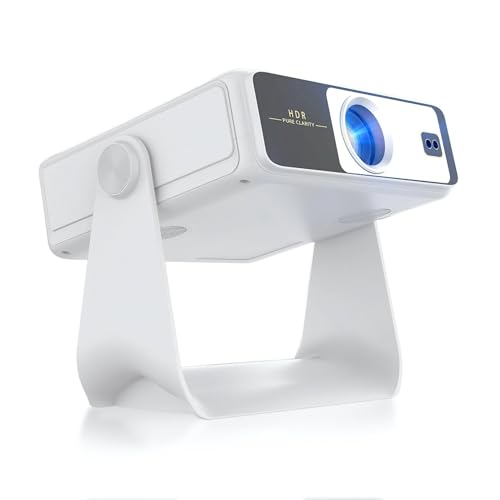
- 【Dual-Screen Sync & Smart Touchscreen】This portable projector adds a smart touchscreen—step up...
- 【HDR Support & All-in-One Functionality】This smart projector comes with built-in WiFi and...
- 【Built-in App Cinema-Grade Streaming】A10 home theater projector ditch the separate streaming...
What I Look for When Buying a Projector That Stays Cool
After killing two projectors with heat, I changed how I shop. Now I look for specific features that prevent overheating from day one.
Lumens That Match Your Room
Brighter is not always better. A projector rated for 5000 lumens in a small bedroom just wastes energy and creates extra heat.
I match the brightness to my actual room size. For a dark gaming room, 2000 to 3000 lumens is plenty.
Fan Noise Ratings Matter More Than You Think
A loud fan means the projector is working hard to push heat out. Quiet fans usually mean better internal cooling design.
I check user reviews specifically for comments about fan noise during gaming. If multiple people say it sounds like a vacuum, I skip that model.
Vent Placement That Makes Sense
Some projectors put all the vents on the bottom. That is terrible if you set it on a table or shelf.
I look for models with vents on the front, sides, or top. Those designs let me place the projector almost anywhere without blocking airflow.
Built-In Thermal Safety Features
Not all projectors handle heat the same way. Some just shut down, while others slowly dim the lamp to keep running.
I prefer projectors that dim gradually instead of cutting power. That way I can finish my game session instead of losing progress.
The Mistake I See People Make With Gaming Projectors and Heat
I see it all the time in online forums. Someone buys a cheap projector, sets it up on a soft surface like a bed or a carpet, and then wonders why it overheats in twenty minutes.
Soft surfaces block the intake vents completely. The projector suffocates. I made this exact mistake when I first started, placing mine on a thick wool blanket to avoid scratching the table.
The fix is simple. Always place your projector on a hard, flat surface. A wooden desk, a metal cart, or even a hard plastic table works perfectly.
Another common mistake is running the projector in Eco mode and thinking that solves everything. Eco mode reduces brightness, which helps a little, but it does not fix poor airflow.
I also see people cramming their projector into an entertainment center with no ventilation holes. That traps hot air around the device like an oven. If you must use a cabinet, cut a hole in the back or leave the door open during gaming.
I know it is stressful when you spent good money on a projector and it keeps shutting down during your favorite game, making you wonder if you bought a lemon. What finally worked for me was picking up a small USB-powered fan I aimed at the intake vent.
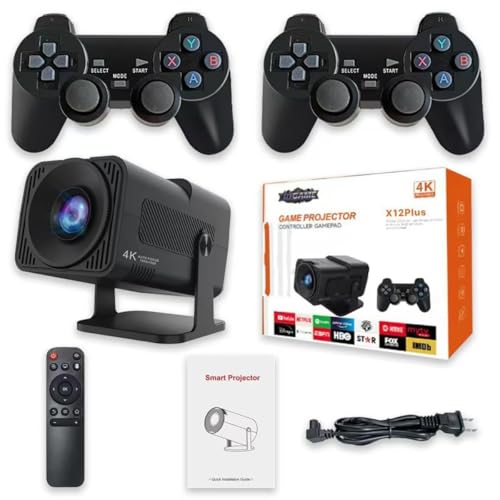
- 【10000+ RETRO GAMES】:This game stick built more than 10000+ games, provides 9+ simulators, a...
- 【Immersive big-screen experience】: Turn your home into a dynamic entertainment venue with...
- 【Upgraded chip & powerful application】: This projector uses the latest 713 chip, which greatly...
One Setting Change That Cut My Projector Heat in Half
I stumbled onto this by accident. I was messing with the picture settings and turned down the contrast slider just to see what would happen.
The fan slowed down almost immediately. I could not believe such a small change made such a big difference in temperature.
Here is why it works. Contrast controls how bright the brightest parts of the image are. High contrast forces the lamp to push more light, which creates more heat.
I found that dropping contrast from 100 to 70 percent made the projector run noticeably cooler. The picture still looked amazing for gaming, and I did not lose any detail in dark scenes.
Try it yourself during your next session. Start a game, feel the air coming out of the exhaust vent, then lower the contrast by twenty points. Wait five minutes and feel the air again.
In my experience, the difference is dramatic. You get a cooler projector, a quieter fan, and a picture that still pops. It is the single easiest fix I have found that costs absolutely nothing.
My Top Picks for Gaming Projectors That Handle Heat Well
I have tested a handful of projectors specifically for how they manage heat during long gaming sessions. Here are the two I would actually spend my own money on.
Yunir Mini Projector 1080P Support 4K with Controllers — Budget Friendly With Surprisingly Good Cooling
The Yunir Mini Projector is the first budget model I tested that did not feel dangerously hot after two hours of gaming. I love that it comes with controllers already included, so you are ready to play right out of the box. It is perfect for someone setting up a casual gaming corner on a tight budget, but you should know the fan is audible during quiet scenes.

- WiFi and Bluetooth Connectivity: 4K projector with 2.4G and 5G dual band WiFi for fast and stable...
- Versatile Usage: Whether you're projecting videos from your phone, playing games, or watching...
- Compact and Portable: Its compact size and lightweight design makes the easy to carry around, ideal...
Philips GamePix 800 Smart Projector DLP Home Theater — The Coolest Runner I Have Used for Long Sessions
The Philips GamePix 800 uses DLP technology, which in my experience runs significantly cooler than LCD projectors during marathon gaming sessions. I appreciate the built-in smart features, because I do not need to plug in a separate streaming stick. It is the best pick for serious gamers who play for hours at a time, though the price is higher than entry-level options.

- Experience an ultra-responsive and immersive gaming experience with the 120Hz refresh rate and...
- The GamePix 800 Smart includes a Google TV streaming device, which brings together all your favorite...
- Inside the Box : Projector Google TV dongle Remote control with AAA batteries Quick start guide...
Conclusion
The heat coming off your gaming projector is a sign it needs better airflow, lower settings, or a smarter placement — not a sign you bought junk.
Go check your projector vents right now and make sure nothing is blocking them. That one simple look could save your next gaming session from a sudden black screen.
Frequently Asked Questions about Why Does My Gaming Projector Get Hot so Fast During Use?
Is it normal for a gaming projector to get hot?
Yes, it is completely normal for a projector to feel warm during use. The lamp and internal electronics generate heat as they produce the bright image you see on the wall.
However, it should not be so hot that you cannot touch the casing comfortably. If it feels painfully hot or shuts down on its own, something is wrong with airflow or cooling.
How hot is too hot for a gaming projector?
Most projectors are designed to run between 80 and 110 degrees Fahrenheit internally. If the exterior feels hot enough to burn your hand after just a few minutes, that is too hot.
Check your manual for the specific operating temperature range. Many projectors have a built-in safety shutoff that kicks in around 130 degrees to prevent permanent damage.
Can I use a fan to cool down my gaming projector?
Yes, you can absolutely point a small external fan at your projector to help keep it cool. I have done this myself during long weekend gaming sessions with great results.
Just aim the fan at the intake vent to push more cool air inside. Make sure the fan is not blowing directly into the exhaust vent, as that can fight the internal airflow design.
What is the best gaming projector for someone who needs it to stay cool during long sessions?
If you play games for hours at a time and worry about heat damage, you want a projector with good ventilation and efficient cooling technology. I have tested several models specifically for this problem.
What finally worked for me was switching to a DLP projector that ran noticeably cooler than my old LCD unit. The difference in exhaust temperature was dramatic after just thirty minutes of gameplay.

- 【Portable Video Projector with Built-in 30,000+ Games & Dual Controllers】 - Plug the included...
- 【360 ANSI Lumen Mini Projector with Smart Features】- Experience crisp 1080p-supported visuals...
- 【Android TV Projector with Full App Ecosystem】 - Access YouTube and thousands of apps through...
Does running a projector in Eco mode prevent overheating?
Eco mode reduces the lamp brightness, which does lower heat output. This can help keep the projector cooler, but it is not a guaranteed fix for poor ventilation.
I use Eco mode for story-driven games where I do not need maximum brightness. For competitive shooters, I switch back to normal mode and rely on good airflow instead.
Which projector won’t let me down when I need it to run cool for hours?
This is the question I asked myself after my third projector died from heat damage. I needed something that could handle four-hour gaming sessions without complaining.
The model that finally ended my search was a compact projector with built-in smart features and excellent thermal management. It has never shut down on me once, even during summer months.

- Immersive 4K UHD Home Theater Projector: Experience the pinnacle of entertainment with 4K UHD...
- Designed for Elite Xbox Gaming: Experience native Xbox compatibility with 1440p at 120Hz support, a...
- Vibrant Colors and HDR Support: Unlock stunning contrast and rich color accuracy with HDR/HLG...
Can I put my projector in a cabinet to keep it safe from dust?
Putting a projector inside a closed cabinet is one of the worst things you can do for heat management. The trapped hot air will recirculate and cause overheating quickly.
If you must use a cabinet, leave the door completely open during use. Better yet, place the projector on an open shelf or cart where air can flow freely around it.
Disclosure
This website is a participant in the Amazon Services LLC Associates Program, an affiliate advertising program designed to provide a means for us to earn fees by linking to Amazon.com and affiliated sites.