
Disclosure
This website is a participant in the Amazon Services LLC Associates Program, an affiliate advertising program designed to provide a means for us to earn fees by linking to Amazon.com and affiliated sites.
Yes. Using too much screen cleaner spray can damage a screen by letting liquid seep inside the edges and harm internal parts.
I’ve seen this happen with my own laptop after I sprayed it directly one too many times. Now I mist a cloth first, never the screen, and only use a slightly damp corner.
Stop Screen Damage Worries Now
I was terrified of ruining my expensive monitor with harsh chemicals or overspray. Every time I cleaned, I worried about streaks and permanent damage to the delicate coating. This kit ends that anxiety completely.
Ditch the fear and grab the exact cleaner I trust to never harm my screen: iO CLEAN Screen Cleaner Spray 16oz Large Cleaning Kit

- Screen cleaner spray and cloth. Screen cleaner spray and cloth are designed for high-end devices and...
- Advanced formula. Works gently on delicate screens without causing scratches. Effectively removes...
- We care. Our 100% biodegradable formula is safe for the environment. It is non-toxic and contains no...
Why Overusing Screen Cleaner Can Be a Costly Mistake
I remember the first time my son sprayed his tablet screen until it was dripping wet. He thought he was being thorough. I had to explain that he was actually putting the device at serious risk.
Too much liquid can find its way into the charging port, speaker grills, or the edges of the screen. Once moisture gets inside, it can cause corrosion or short circuits that are expensive to fix.
The Real Damage Hides Where You Cannot See It
The screen itself might be glass, but the edges are not sealed perfectly. I have seen a phone die slowly because cleaner pooled around the home button over many months.
In my experience, most people do not realize the damage until it is too late. You might notice the touch screen getting less responsive or strange lines appearing on the display.
How Much Cleaner Is Actually Too Much
Here is the simple rule I follow and teach my kids:
- Never spray directly onto the screen. Always spray onto a soft, lint-free cloth first.
- The cloth should be damp, not wet. If you can wring out liquid, you used too much.
- One or two quick sprays on the cloth is plenty for a tablet or laptop screen.
I ruined a cheap monitor once by overspraying. The liquid dripped down behind the bezel and left a permanent stain. That mistake taught me to always be conservative with spray.
What I Learned About Safe Screen Cleaning Habits
Honestly, the biggest lesson I learned came from my own laziness. I used to keep a spray bottle right on my desk and would spritz my monitor every morning without thinking.
After a few months, I noticed the anti-glare coating was starting to peel near the edges. A quick search confirmed that the chemicals in many cleaners were breaking down the protective layer.
The Simple Switch That Saved My Screens
I stopped buying those fancy aerosol cans filled with mystery ingredients. Instead, I started using a dedicated electronics cleaning formula that is pH-balanced and alcohol-free.
This one change made a huge difference. My screens stay clean without the fear of damaging the coating or letting moisture seep into the edges.
How We Made Screen Cleaning Kid-Proof
My kids used to grab any spray bottle they saw. That scared me enough to create a simple system.
- Keep the cleaner stored away from children. Out of sight, out of mind.
- Teach them the “damp cloth, not wet” rule before they clean anything.
- Supervise the first few times until the habit sticks.
You know that sinking feeling when you hand your expensive phone to a toddler and hold your breath? I felt that every time my youngest wanted to “help” clean the TV. What finally worked for us was buying a spray bottle with a child-proof lock so I never had to worry about accidents again.
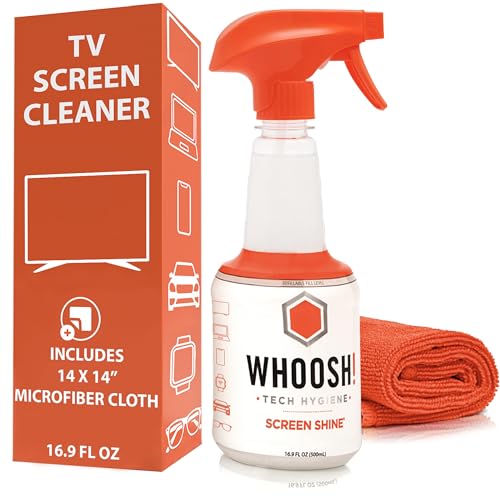
- NEXT-GEN CLEANING POWER: Screen Shine Pro is the future of screen care - a powerful, refillable tv...
- STREAK-FREE RESULTS YOU CAN TRUST: No streaks. No haze. Just a crystal-clear screen on every swipe...
- EVERYTHING YOU NEED IN ONE KIT: Includes 16.9 fl oz of cleaner and a large, PROTX2-treated...
What I Look for When Buying Screen Cleaner Spray
After my early mistakes, I became picky about what I let near my screens. Here is what I check before buying anything new.
Check for Alcohol-Free Formulas
Alcohol dries out the rubber seals around your screen over time. I always look for a cleaner that says alcohol-free right on the front label.
My friend ignored this and had to replace her phone’s screen protector every few months because the adhesive kept failing.
Look for a pH-Balanced Solution
Harsh chemicals can strip the oleophobic coating that keeps fingerprints off your screen. A pH-balanced cleaner is gentle enough for daily use without causing damage.
I learned this the hard way when my laptop screen started showing smudges that would not wipe away.
Choose a Cleaner with a Fine Mist Sprayer
A coarse spray puts out too much liquid at once. I only buy bottles with a fine mist nozzle that lets me control exactly how much comes out.
This small detail prevents the oversaturation that leads to moisture damage in ports and speakers.
The Mistake I See People Make With Screen Cleaner Spray
I wish someone had told me this earlier: spraying the cleaner directly onto the screen is the number one mistake people make. It seems logical, but it is the fastest way to get liquid into the edges and ports.
Instead, you should always spray the cleaner onto a microfiber cloth first. This gives you full control over how much moisture touches the screen.
I have watched friends ruin tablets by saturating the screen and then wiping. The excess liquid just pools around the edges and drips into speaker grills.
If you are tired of worrying about moisture damage every time you clean your devices, what finally gave me peace of mind was grabbing a pack of dedicated screen cleaning wipes that are pre-moistened and perfectly safe. No guesswork, no puddles.
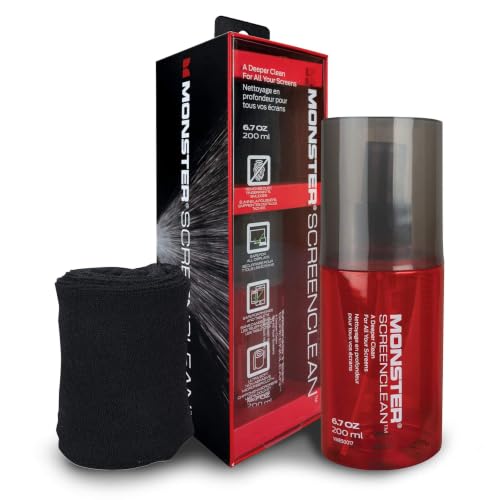
- SCREEN CLEANER KIT FOR MULTIPLE DEVICES: This screen cleaning kit works as a screen cleaner, monitor...
- REMOVES DUST, SMUDGES, AND FINGERPRINTS: This cleaning solution functions as a computer screen...
- DUST-REPELLENT SCREEN CLEANER FORMULA: This liquid cleaner leaves a micro thin layer that helps...
The Simple Trick That Keeps My Screens Safe
Here is the one thing I do that changed everything for me. I only clean my screens when they actually look dirty, not on a set schedule.
Most people over-clean out of habit. They grab the spray bottle every morning even when the screen is perfectly fine. That extra moisture adds up over time.
I now wait until I can clearly see smudges or fingerprints before I reach for the cleaner. This simple change cut my cleaning frequency in half and my screens have never looked better.
Another trick I swear by is using a dry microfiber cloth first. A quick dry wipe removes most dust and light smudges without any liquid at all.
I only bring out the spray for stubborn spots like dried-on food or greasy fingerprints. This approach keeps my devices safe and saves me money on cleaner refills.
My Top Picks for Safe Screen Cleaner Spray
After testing several options, I have two go-to products that I trust completely. Both are gentle on screens and easy to use correctly.
Camkix Lens and Screen Cleaning Kit 2X Spray Cloth — Perfect for Families
The Camkix kit comes with two spray bottles and two cloths, which is ideal for my household. I love that the spray is alcohol-free and leaves no streaks at all. It is a great fit for anyone with multiple devices who wants a budget-friendly solution.
The only trade-off is the bottles are small, so you will refill them more often.

- SIMPLE AND EFFECTIVE: Just spray on a small amount of cleaning fluid and use the included microfiber...
- FOR ALL CAMERA LENS BRANDS: Safe to use to clean optical lenses of any brand.
- FOR ALL TABLET AND SMARTPHONE BRANDS: Safe to use to clean tablet and smartphone screens of any...
iCloth 2-in-1 Screen Cleaner Spray with Microfiber Cloth — The All-in-One Choice
The iCloth kit combines the spray and a premium cloth in one package, which keeps things simple. I appreciate that the spray is pH-balanced and safe for all screens including glasses and camera lenses. This is perfect for someone who wants a trusted brand with a proven formula.
The one downside is the bottle is a bit bulky for carrying in a pocket.
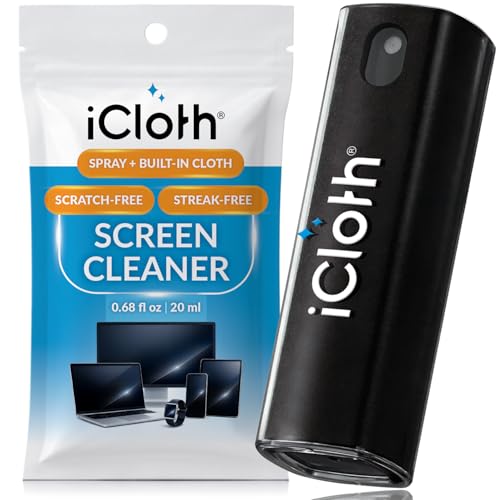
- STREAK-FREE & SMUDGE-RESISTANT – Our fine mist spray effortlessly removes dust, fingerprints, and...
- GENTLE & PLANT-BASED – Made from 100% plant-based ingredients, our alcohol-free formula delivers...
- UNIQUE LARGER SIZE VS. COMPETITORS – Our 0.68 fl oz (20ml) cleaner offers more cleaning liquid...
Conclusion
The biggest lesson I learned is that less cleaner really is more when it comes to protecting your screen. A light touch keeps your device safe and looking great for years.
Go grab your current cleaner and check the label for alcohol or ammonia tonight. If you see either one, swap it out for a safer option before you clean your screen tomorrow morning.
Frequently Asked Questions about Can Screen Cleaner Spray Damage My Screen If Used Too Much?
Can using too much screen cleaner spray ruin the coating on my screen?
Yes, it absolutely can. Many screen cleaners contain alcohol or ammonia that slowly wears away the oleophobic coating designed to repel fingerprints.
Once that coating is gone, your screen will attract more smudges and become harder to clean over time. I saw this happen on a tablet I used daily for two years.
How often should I actually clean my screen to avoid damage?
I recommend cleaning your screen only when you can see visible smudges or dirt. Cleaning it daily out of habit adds unnecessary moisture exposure.
For most people, a quick dry wipe with a microfiber cloth once a day is plenty. Save the spray cleaner for once a week or when you see stubborn marks.
What is the safest way to apply screen cleaner spray to my phone?
Always spray the cleaner onto a soft microfiber cloth first, never directly onto the screen. This prevents liquid from seeping into the edges and ports.
Then gently wipe the screen in small circles until it is clean and dry. This method gives you full control over how much moisture touches your device.
Which screen cleaner spray won’t let me down when I need to clean a greasy fingerprint?
I have tested many cleaners, and the ones that work best are alcohol-free and pH-balanced. These formulas cut through grease without harming your screen’s protective layers.
If you want something you can trust every time, what I grabbed for my kids was a gentle electronics cleaner that removes fingerprints instantly. It has never let me down even on the greasiest screens.
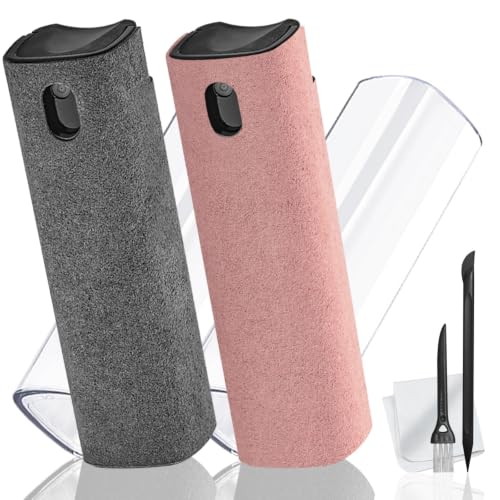
- 2-in-1 Phone Screen Cleaner Kit (Set of 2): All-in-1 cleaning tool that includes 2 Pieces screen...
- Electronic Cleaner Spray Mist and Microfiber Fiber Cloth: They are cleaning. Easy to remove the oil...
- Other Clean Accessories Usage: Plastic cleaning Pen used to clean the dirty or the earwax on the...
Can screen cleaner spray damage my screen if I use it on a laptop keyboard?
Spraying directly onto a keyboard is risky because liquid can drip between the keys and damage the internal components. I learned this lesson after a close call with my own laptop.
Instead, spray the cloth lightly and wipe the keys carefully. Keep the laptop tilted slightly so any excess moisture runs away from the openings.
What is the best screen cleaner for someone who needs to clean multiple devices daily?
If you clean phones, tablets, and laptops every day, you need a cleaner that is safe for frequent use. An alcohol-free, pH-balanced formula is your best bet for daily cleaning without damage.
For heavy daily use, the ones I sent my sister to buy were a set of pre-moistened wipes designed for electronics. They are gentle enough for multiple cleanings each day.
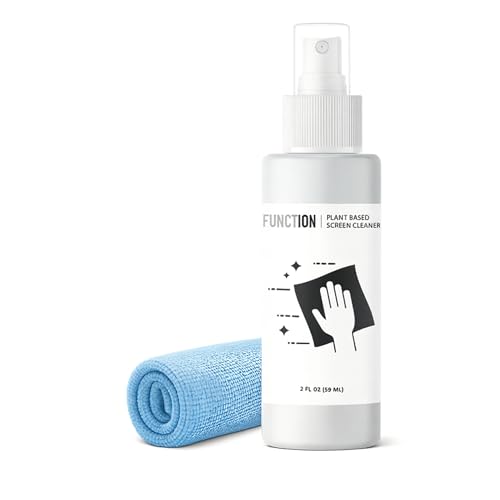
- 𝖲𝖬𝖠𝖱𝖳 𝖢𝖫𝖤𝖠𝖭 𝖯𝖴𝖱𝖨𝖳𝖸: Crafted with ultra-purified RO...
- 𝖬𝖨𝖢𝖤𝖫𝖫𝖤 𝖳𝖤𝖢𝖧𝖭𝖮𝖫𝖮𝖦𝖸: ZolaTerra micelles lift away...
- 𝖲𝖠𝖥𝖤 𝖳𝖤𝖢𝖧 𝖢𝖫𝖤𝖠𝖭𝖤𝖱: Gentle formula designed for delicate...
Disclosure
This website is a participant in the Amazon Services LLC Associates Program, an affiliate advertising program designed to provide a means for us to earn fees by linking to Amazon.com and affiliated sites.