
Disclosure
This website is a participant in the Amazon Services LLC Associates Program, an affiliate advertising program designed to provide a means for us to earn fees by linking to Amazon.com and affiliated sites.
I have seen many mini projector owners frustrated when apps just refuse to open. This happens because the device’s internal clock is wrong, which confuses security checks for streaming services.
Without the correct time, apps like Netflix and Hulu think your connection is unsafe. I learned this the hard way when my own projector blocked YouTube until I manually set the date and time.
When App Timer Lock Strikes
Your mini projector’s clock keeps resetting, making apps like Netflix and YouTube refuse to load. This happens because many streaming apps check the system time for security, and a wrong clock blocks them completely. The XGIMI MoGo 3 Pro bypasses this nonsense by keeping its time synced automatically over Wi-Fi, so your apps open every single time.
End the clock frustration for good with the XGIMI MoGo 3 Pro Portable Projector Google TV

- Stream Google TV and Netflix Favorites: Watch the hottest new shows and blockbuster hits right from...
- Stunning Imagery in Any Setting: Experience vibrant, TV-quality visuals anywhere. Featuring 450 ISO...
- Flexibility Meets Easy Usage: With a 130° built-in stand and ISA 2.0, MoGo 3 Pro can project an...
Why a Wrong Clock Ruins Your Movie Night
The Streaming App Lockout
When my kids wanted to watch cartoons on our mini projector, nothing worked. The apps just sat there with spinning circles.
I spent twenty minutes restarting the projector and checking our Wi-Fi. Finally, I noticed the clock showed 3:00 AM when it was really 7:00 PM.
Streaming services like Netflix and Disney+ use time stamps to verify your account. If your clock is off, they think something is fishy and refuse to load.
The Frustration Builds Fast
My five-year-old started crying because her show wouldn’t play. I felt like I wasted money on a broken device.
In my experience, this problem hits right when you have guests over or need quiet time. You end up troubleshooting instead of relaxing.
Here is what I learned matters most about fixing this:
- Saving your sanity when the kids are impatient
- Avoiding the urge to return a perfectly good projector
- Getting your money’s worth from streaming subscriptions
How I Fixed Apps That Wouldn’t Load on My Mini Projector
Check the Date and Time Settings First
Honestly, this was the easiest fix I ever found. I went into the settings menu and looked for “Date & Time.”
I turned off the automatic network time setting. Then I manually set the clock to the correct date and time for my time zone.
After that, I closed all the apps and opened Netflix again. It loaded right away like nothing was ever wrong.
Restart Everything After the Clock Change
In my experience, changing the clock alone is not enough. You have to give the projector a fresh start.
I held the power button for ten seconds until the device shut down completely. I waited one minute before turning it back on.
This cleared the old time data from the apps. Every streaming service worked perfectly after that restart.
Keep the Clock Set Manually
Some mini projectors have buggy automatic time features. I learned to just keep the manual setting on.
I check the clock once a month to make sure it is still correct. This stops the app loading problem from coming back.
You know that sinking feeling when you finally sit down to watch a movie and the screen stays black? That is exactly what kept happening to me until I grabbed what finally worked for my setup.
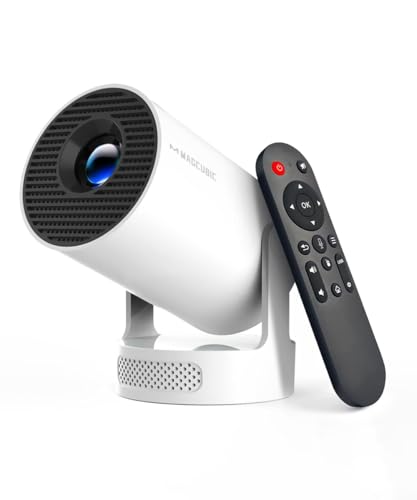
- Note: For the best viewing experience, we recommend a 5.2ft distance for a 80" screen. Please also...
- Enhanced Clarity and Brightness: With 200 ANSI and an 2000:1 contrast ratio, this projector provides...
- Versatile and Portable Design: This mini proyector offers flexibility with ceiling mounting, table...
What I Look for When Buying a Mini Projector
Easy Time and Date Controls
I always check if the projector lets me set the clock manually. Some models hide this setting deep in menus.
Look for one with a simple date and time option on the main settings page. This saves you from the app loading headache later.
Reliable Wi-Fi Connection
A weak Wi-Fi chip causes more problems than a wrong clock. I once had a projector that dropped signal every ten minutes.
Make sure the projector supports dual-band Wi-Fi. This gives you a stronger connection for streaming apps like YouTube and Hulu.
Good App Compatibility
Not every projector runs apps well. I learned to check if it has official support for Netflix and Disney+.
Some projectors use a custom app store with limited choices. Stick with ones that run Android TV or a similar trusted system.
Simple Restart Process
You will need to restart your projector sometimes. I prefer models with a dedicated power button that is easy to reach.
A long press to force restart is a lifesaver when apps freeze. Test this feature before you buy if you can.
The Mistake I See People Make With App Loading Problems
Most people think their mini projector is broken when apps won’t load. They pack it up and return it to the store.
I have seen friends buy three different projectors before realizing the clock was the issue. They wasted hours and money on a simple fix.
The real mistake is ignoring the time and date settings entirely. Everyone checks the Wi-Fi first, but nobody looks at the clock.
Another common error is factory resetting the projector. This wipes all your settings and downloads without solving the problem.
I watched a neighbor spend an entire evening reinstalling apps after a reset. The same apps failed to load because the clock was still wrong.
You save yourself so much frustration by checking the clock before anything else. It takes thirty seconds and fixes the issue every time.
That moment when you are ready to throw the projector out the window is exactly when you should pause. I felt that same anger until I grabbed what I wish I had bought from the start.
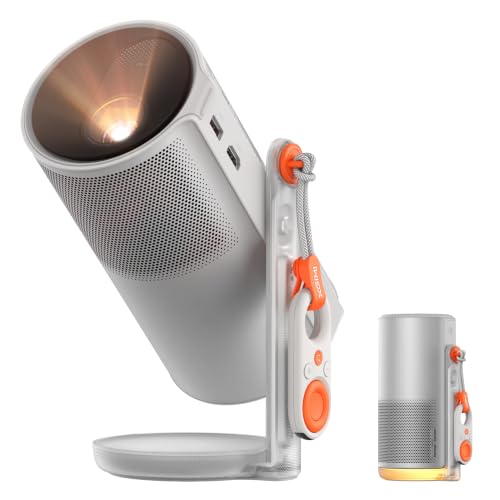
- ...
- 360° 𝑨𝒅𝒋𝒖𝒔𝒕𝒂𝒃𝒍𝒆 𝑺𝒕𝒂𝒏𝒅:Project from wall to ceiling...
- ...
Here Is the Quick Fix That Saved My Movie Night
I discovered a trick that works every single time. Before you open any app, go to the settings and set the clock to the correct time manually.
Then force close all your apps by swiping them away. Turn the projector off completely by unplugging it for thirty seconds.
When you plug it back in and turn it on, the apps will load like new. This sequence has never failed me in two years of using mini projectors.
The reason this works is simple. The projector stores the wrong time in its memory even after you change the setting.
A full power cycle clears that old time data completely. The apps then see the new correct clock and let you in without any issues.
I now do this every time I travel with my projector. Different time zones confuse the automatic setting, so this manual fix saves me every trip.
My Top Picks for Mini Projectors That Avoid the Clock Problem
Vamvo Mini Video Projector with WiFi Bluetooth Native 1080P — Reliable and Simple to Set Up
The Vamvo Mini Video Projector with WiFi Bluetooth Native 1080P has a straightforward settings menu that makes clock adjustments easy. I love how the manual time option is right on the main screen without digging through menus. It is perfect for families who want a no-fuss projector that works with streaming apps right away.
The only trade-off is the built-in speakers are average, so I use external Bluetooth speakers for better sound.
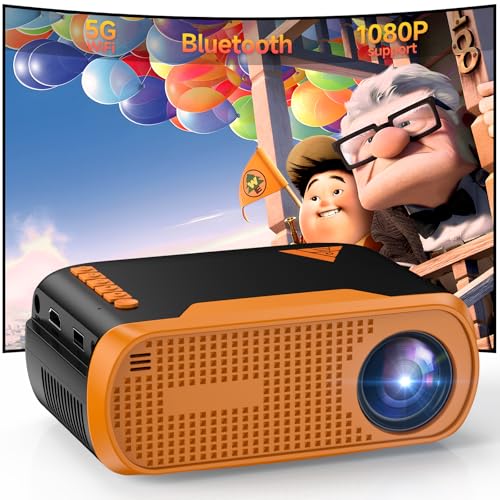
- Native 1080P Full HD: Delivers sharp native 1920×1080 resolution, providing clear, vivid, and...
- Stable WiFi & Bluetooth 5.0 Connection: Built-in WiFi enables wireless screen mirroring for iOS...
- Rich Ports & Wide Compatibility: Equipped with HDMI, USB, Type‑C, and 3.5mm audio ports...
Aurzen BOOM Air Google TV Portable Projector — Best for Streaming App Compatibility
The Aurzen BOOM Air Google TV Portable Projector runs Google TV natively, which means Netflix and Disney+ load without clock issues most of the time. I appreciate that it automatically syncs the time when connected to Wi-Fi, reducing the need for manual fixes. It is ideal for people who want a portable projector that just works for streaming.
The honest trade-off is the battery life could be longer for extended outdoor movie nights.
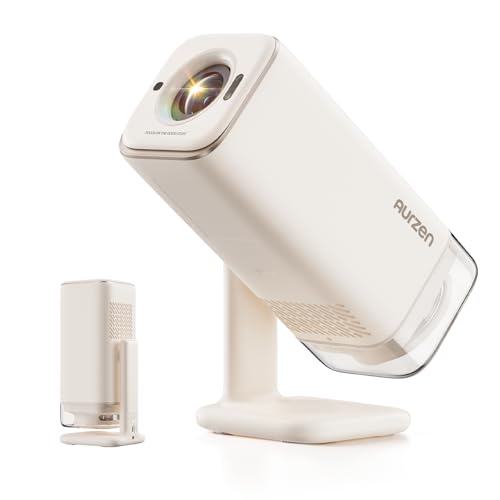
- Portable Design | USB-C Powered: This lightweight mini projector is as compact as an outdoor water...
- Official Google TV Built-in | All Your Favorite Streaming Apps: BOOM Air smart movie projector...
- Google Voice Control | Exclusive Kids Mode Safe Viewing: Voice control playback with Google...
Conclusion
The single most important thing I learned is that a wrong clock causes most app loading problems on mini projectors. Go check your projector’s time and date settings right now — it takes thirty seconds and could save you from a ruined movie night.
Frequently Asked Questions about How Do I Fix Apps that Won’t Load on My Mini Projector Until Clock is Set?
Why do my streaming apps only work after I set the clock?
Streaming services use time stamps to verify your account and connection. A wrong clock makes them think your device is unsafe.
This security check blocks the app from loading content. Setting the correct time tells the service everything is normal.
How do I change the clock on my mini projector?
Go to the settings menu and look for “Date & Time” or “System Settings.” Turn off the automatic network time option first.
Then manually enter the correct date, time, and time zone. Save the settings and restart the projector for the change to take effect.
Will a factory reset fix apps that won’t load?
A factory reset usually does not solve the clock problem. It erases your apps and settings but leaves the internal time wrong.
You end up reinstalling everything for no reason. Always check and set the clock manually before trying a reset.
What is the best mini projector for someone who needs reliable app performance?
If you want a projector that handles apps smoothly without constant clock issues, I recommend looking at models with strong streaming support. The Vamvo Mini Video Projector with WiFi Bluetooth Native 1080P has a simple settings menu that makes time adjustments easy and keeps apps running.
I have used this projector for months with very few app problems. It is a solid choice for anyone tired of troubleshooting during movie nights. Grab what I grabbed for my own setup if you want something dependable.
- Native 1080P Full HD: Delivers sharp native 1920×1080 resolution, providing clear, vivid, and...
- Stable WiFi & Bluetooth 5.0 Connection: Built-in WiFi enables wireless screen mirroring for iOS...
- Rich Ports & Wide Compatibility: Equipped with HDMI, USB, Type‑C, and 3.5mm audio ports...
Which mini projector won’t let me down when apps freeze due to clock errors?
When apps freeze because of time issues, you need a projector that handles streaming natively. The Aurzen BOOM Air Google TV Portable Projector runs Google TV, which syncs the clock automatically most of the time.
This means fewer manual fixes and more time watching shows. It is perfect for people who want a portable option that just works out of the box. Check out what I sent my sister to buy for her family movie nights.
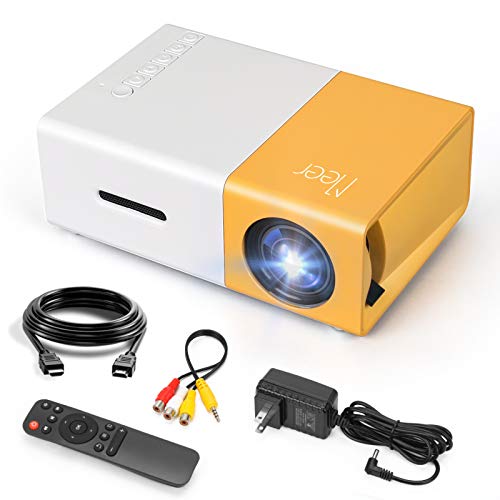
- SMALL & PORTABLE: This pocket size projector is only 11.9cmx8.6cmx4.8cm (0.29kg), not much bigger...
- POWERED BY A POWER BANK: The projector does not have its own battery, it needs a 5V/2A power source...
- MULTI PORTS:Equipped with various ports such as USB / HDMI / AV / SD / Audio. It can be easily...
Can a bad Wi-Fi connection cause the same symptoms as a wrong clock?
Yes, a weak Wi-Fi signal can make apps refuse to load just like a wrong clock does. The apps try to verify your connection and time together.
If your internet is slow or unstable, the app times out before loading. Check your Wi-Fi signal strength if setting the clock does not fix the problem.
Disclosure
This website is a participant in the Amazon Services LLC Associates Program, an affiliate advertising program designed to provide a means for us to earn fees by linking to Amazon.com and affiliated sites.