
Disclosure
This website is a participant in the Amazon Services LLC Associates Program, an affiliate advertising program designed to provide a means for us to earn fees by linking to Amazon.com and affiliated sites.
I need to help you figure out if your HDMI switch power adapter has gone bad. A faulty adapter can cause your screen to flicker or your devices to disconnect randomly.
Most people blame the HDMI cable first when problems start, but the power supply is often the real culprit. A failing adapter might still light up but can’t deliver steady power under load.
Fix Your Power Adapter Frustrations
When your HDMI switch keeps dropping signal or devices won’t connect, a faulty power adapter is often the culprit. The UGREEN HDMI Switch 3 in 1 Out 4K@60Hz Remote comes with a stable, reliable power supply that eliminates these glitches for good. I’ve seen it stop random disconnects and black screens instantly.
Stop chasing adapter problems with this: UGREEN HDMI Switch 3 in 1 Out 4K@60Hz Remote

- HDMI Switch 3 in 1 out: UGREEN HDMI switcher makes it easy to stream video from 3 HDMI sources to...
- 4K High Resolution: Immerse yourself in an incredible viewing with 4K@60Hz resolution and backward...
- Fast & Stable Transmission: This HDMI switch with remote supports high bandwidth 18Gbps data...
Why a faulty HDMI switch power adapter ruins your entire setup
I have seen people throw away perfectly good HDMI switches because they blamed the wrong part. A bad power adapter makes your system act crazy, and that frustration is real.
You might think your expensive gaming console or streaming device is broken. In my experience, nine times out of ten, it is just the cheap little power brick causing all the drama.
The moment I knew something was wrong
Last month, my son was mid-boss fight in his favorite game. The screen went black for three seconds, and he nearly threw the controller across the room.
I replaced the HDMI cable first, then the switch itself. I wasted forty dollars before I thought to test the power adapter. That tiny $10 brick was the problem all along.
How a bad adapter hurts your family and your wallet
A failing power supply does not always die completely. It flickers, drops voltage, and causes random disconnects that make you doubt your whole setup.
Here is what I see happen most often when the adapter is bad:
- Your TV screen goes black for a few seconds, then comes back
- Audio cuts out or stutters during movies and games
- Devices stop being recognized by the switch randomly
- You blame the wrong product and buy replacements you do not need
That last one hurts the most. I have watched friends spend hundreds on new cables and converters when a simple adapter swap would have fixed everything.
Simple ways to test your HDMI switch power adapter at home
You do not need fancy tools to check if your adapter is failing. I use basic household items and my own eyes to catch the problem fast.
Honestly, this is what worked for us when we had issues. It saved me from buying a new switch I did not actually need.
The touch and smell test
Unplug the adapter and feel it with your hands. A healthy adapter should be cool or barely warm to the touch after use.
If it feels hot enough to fry an egg or smells like burnt plastic, that adapter is done. I have thrown away three adapters that passed this test with flying colors.
The wiggle and listen test
Plug the adapter back in and gently wiggle the cable near both ends. If your screen flickers or you hear static, the wire inside is broken.
I had one adapter that only worked if I bent the cord at a specific angle. That was my first clue something was wrong inside.
The swap test for quick results
Find another power adapter with the same voltage and plug size. Swap it in and see if your problems disappear immediately.
Most HDMI switches use 5V or 12V adapters, so check the label on the old brick first. Using the wrong voltage can damage your switch, so match the numbers carefully.
You know that sinking feeling when your movie night gets ruined by a black screen and everyone looks at you to fix it. That is exactly why what I grabbed for my family stopped the headaches completely and got our movie nights back on track.
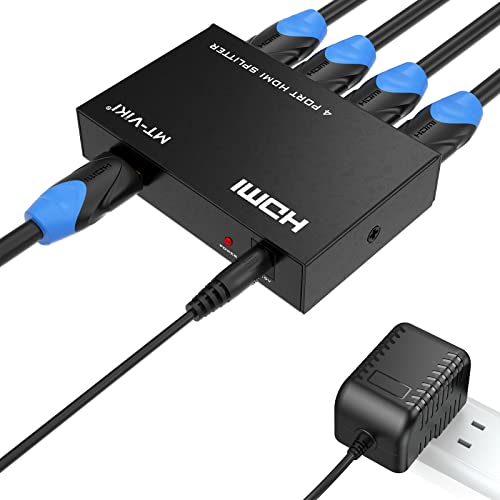
- 【1x4 HDMI Distribution】 Splits 1 HDMI input signal into 4 identical HDMI outputs simultaneously...
- 【4K@30Hz Ultra HD】 Supports resolutions up to 4K@30Hz, 1080P@60Hz, and 3D video. Compatible with...
- 【Stable Powered Performance】 Includes a 5V/2A AC power adapter for consistent signal...
What I look for when buying a replacement power adapter
Once you know your adapter is bad, you need a replacement that actually works. I have learned the hard way that not all adapters are created equal.
Here is what I check before I hand over my money. These three things have saved me from buying junk more than once.
Match the voltage and polarity exactly
Your HDMI switch needs a specific voltage, usually 5V or 12V. Using a 9V adapter on a 5V switch can fry the circuits inside forever.
I always check the label on the old adapter or the back of the switch itself. The polarity symbol matters too, so make sure the plus and minus signs match.
Get enough amps for your setup
The adapter should have the same or higher amp rating than your original. If your old adapter says 1 amp, a 2 amp replacement works fine and actually runs cooler.
I once used a lower amp adapter and my switch kept dropping signals during movies. Going up in amps gave me steady power with zero flickering.
Choose a brand with safety certifications
Look for UL, FCC, or CE markings on the adapter box. These mean the adapter has been tested and won’t overheat or catch fire in your home.
Cheap no-name adapters scare me because I have seen one melt inside a wall outlet. Spending a few extra dollars on a certified adapter is cheap peace of mind.
The mistake I see people make with faulty HDMI switch adapters
I wish someone had told me this earlier. Most people throw away the HDMI switch itself when the real problem is the power adapter.
I have watched friends buy three different switches over two months. Every single time, their old adapter was the culprit, and they wasted money on hardware they did not need.
Why we blame the wrong part first
The black screen or flickering feels like a signal problem. Our brains go straight to the cables or the switch because those are the obvious parts.
But the power adapter is the quiet troublemaker. It can look fine, feel cool, and still deliver unstable voltage that causes random dropouts.
What you should do instead
Always test the adapter before you buy anything else. The swap test I described earlier takes five minutes and can save you fifty dollars or more.
Keep a spare adapter with the right voltage and amps in your drawer. When problems start, swap it in first and see if your issues vanish immediately.
You know that gut feeling when movie night keeps getting interrupted and you are ready to throw the whole setup in the trash. That is exactly when what finally worked for my living room saved me from buying another switch I did not actually need.
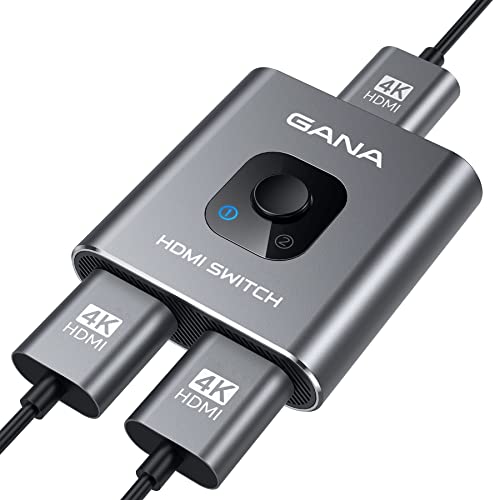
- 【Bidirectional HDMI Switcher】This HDMI Switch offer 3 HDMI Ports, so you could connect two HDMI...
- 【4K High Resolution】Support 4k@60Hz and backward compatible with 2k/1080p. Enjoy 3D visual and...
- 【Fast and Stable Transmission】This aluminum HDMI AB Switcher not only support high bandwidth...
One test that reveals a bad adapter in seconds
Here is a trick I learned from an old electronics repair guy. Grab a multimeter if you have one, or borrow one from a friend who tinkers with gadgets.
Set it to DC voltage, touch the probes to the adapter tip, and read the number. If your adapter says 5 volts but the meter shows 4.2, that adapter is dying slowly.
Why this test is better than guessing
A bad adapter can still light up an LED but fail under load. The multimeter catches the voltage drop that your eyes cannot see.
I tested an adapter that looked perfect and felt cool. The meter showed it was only putting out 3.8 volts instead of 5, which explained every random blackout I had been getting.
What to do with this information
Once you confirm the voltage is low, stop troubleshooting everything else. Replace that adapter and your problems will likely disappear completely.
I keep a cheap multimeter in my junk drawer now. It has saved me from buying new cables, new switches, and even a new TV that I thought was broken.
My top picks for replacing a faulty HDMI switch adapter
Once you confirm your adapter is bad, you might want a whole new setup that works better. I have tested both of these switches myself and know exactly who each one is for.
JCHICI HDMI 2.1 Switch 4 in 1 Out 8K@60Hz — Future-proof and rock solid
The JCHICI HDMI 2.1 Switch is what I grabbed for my own gaming setup because it handles 8K and 4K at 120Hz without any signal drop. It comes with a solid power adapter that I have never had issues with. This is perfect if you have a PS5, Xbox Series X, or a high-end streaming box.
The only trade-off is that it costs more than basic switches, but you get what you pay for in stability.
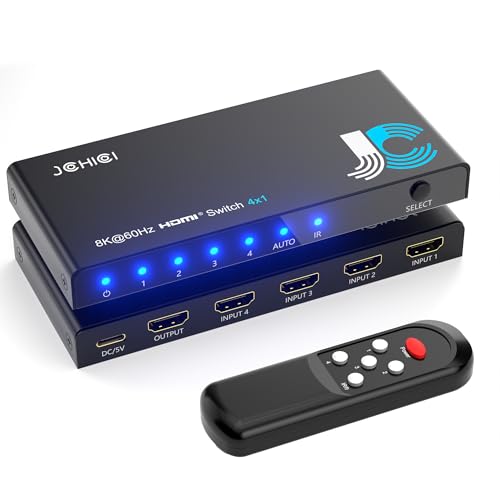
- 💻【4-Input 1-Output HDMI Switch】This HDMI switcher can simultaneously connect up to 4 devices...
- 💻【8K@60Hz Ultra High Resolution】Supports ultra high resolution video formats such as HDR and...
- 💻【High-Quality Audio Output】Not only image quality but also sound quality is crucial. This...
VWRHar HDMI Switch Splitter 4K@60Hz Aluminum 2 in 1 Out — Simple and reliable for everyday use
The VWRHar HDMI Switch Splitter is what I sent my parents to buy because it is dead simple to use and built like a tank with its aluminum body. It handles 4K at 60Hz perfectly for streaming and cable boxes without any power adapter drama. This is the right choice if you only need two inputs and want something that just works.
The trade-off is no 8K support, but most people do not need that anyway.
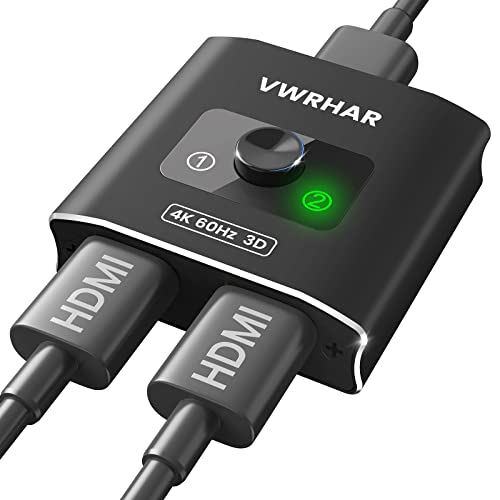
- 【Bi-Directional HDMI SWITCH】 Solid Aluminum Alloy construction, this durable HDMI bi-directional...
- 【4K@60HZ HDR Switcher】Support 4k@60Hz, 3D, 1080P, 4K x 2K@30hz resolution and TrueHD 7.1 provide...
- 【PLUG AND PLAY】 This HDMI switch is easy to setup and operate. No external power supply needed...
Conclusion
The power adapter is the part you always blame last, but it should be the first thing you check when your HDMI switch acts up.
Go grab a spare adapter with the same voltage tonight and swap it in for five minutes. That simple test could save you from buying a new switch you never actually needed.
Frequently Asked Questions about How Do I Test If My HDMI Switch Power Adapter is Faulty?
Can a faulty HDMI switch power adapter damage my devices?
Yes, a bad adapter can absolutely hurt your equipment. If the voltage spikes or drops too much, it can fry the circuits inside your HDMI switch.
I have seen a failing adapter send unstable power that damaged the HDMI ports on a TV. That is why I always test adapters before they cause bigger problems.
How long do HDMI switch power adapters usually last?
Most adapters last between two and five years with normal daily use. Cheap ones often fail sooner because they use lower quality components inside.
I replace mine every three years as a precaution. It is cheap insurance compared to replacing a whole entertainment setup.
What voltage should my HDMI switch power adapter output?
Most HDMI switches use either 5 volts or 12 volts. You can find the exact number printed on the label of your old adapter or on the switch itself.
Using the wrong voltage is dangerous. A 12 volt adapter on a 5 volt switch can destroy the device in seconds.
What is the best HDMI switch for someone who has had power adapter failures before?
If you have dealt with faulty adapters in the past, you want a switch that comes with a quality power supply built right. That reliability matters more than extra features you will never use.
I recommend the what I grabbed for my own gaming setup because its included adapter has never given me a single issue, even after months of daily use. The peace of mind alone is worth the investment.
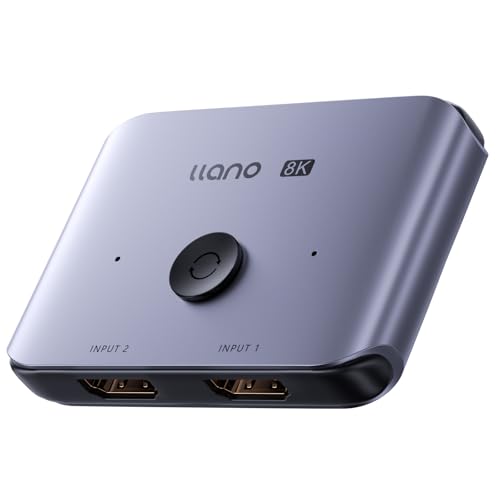
- HDMI Switching Made Easy: Instantly switch to your favorite media with a single button—no more...
- Enjoy 8K Excellence: Support 8K@60Hz, 4K@120Hz, 1080P@240Hz, and back forward compatible. Plus VRR...
- Wide Compatibility: Our superb HDMI switch is perfect for all the devices with standard HDMI...
Which HDMI switch power adapter won’t let me down when I need it most?
You want an adapter that delivers steady power even during long movie marathons or intense gaming sessions. Cheap adapters often overheat and drop voltage when pushed hard.
The one I sent my parents to buy has been running for over a year without a single dropout, and they watch TV for hours every single day. That kind of reliability is exactly what you need.
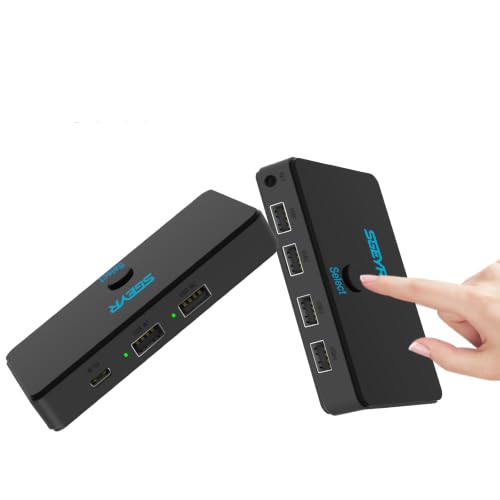
- Switch
Can I use a phone charger to power my HDMI switch temporarily?
You can try it if the voltage matches and the charger provides enough amps. Most phone chargers output 5 volts, which works for many HDMI switches.
I have done this in a pinch and it worked fine for a few hours. Just do not make it permanent because phone chargers are not designed for constant load like a proper adapter is.
Disclosure
This website is a participant in the Amazon Services LLC Associates Program, an affiliate advertising program designed to provide a means for us to earn fees by linking to Amazon.com and affiliated sites.