
Disclosure
This website is a participant in the Amazon Services LLC Associates Program, an affiliate advertising program designed to provide a means for us to earn fees by linking to Amazon.com and affiliated sites.
I bought a mini projector hoping to watch Netflix in my backyard. But when I opened the app, it just wouldn’t play anything. That is when I learned about streaming licenses.
Many cheap mini projectors run a modified version of Android that isn’t certified by Google. This means apps like Netflix see the device as untrustworthy and block high-definition playback or refuse to work entirely.
Stop the Streaming Block Frustration
Many cheap projectors lack official Netflix licensing, so apps refuse to play. This leaves you stuck with a blank screen or endless loading. The MEER Mini Projector solves this by supporting HDMI connections for any streaming device.
Grab the same projector I use to bypass licensing blocks: MEER Mini Projector Portable LED LCD Video Projector
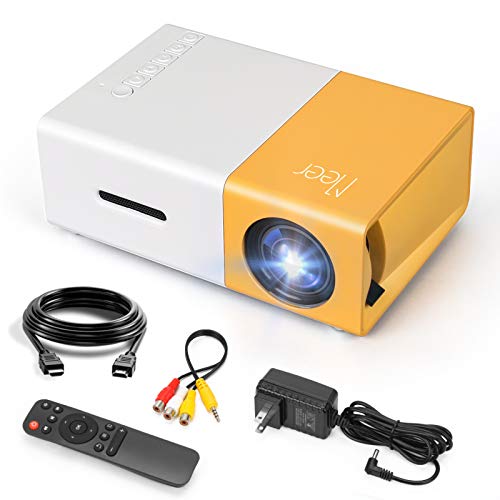
- SMALL & PORTABLE: This pocket size projector is only 11.9cmx8.6cmx4.8cm (0.29kg), not much bigger...
- POWERED BY A POWER BANK: The projector does not have its own battery, it needs a 5V/2A power source...
- MULTI PORTS:Equipped with various ports such as USB / HDMI / AV / SD / Audio. It can be easily...
Why a Non-Licensed Projector Ruins Movie Night
I learned this lesson the hard way. I set up a cozy movie night for my kids with popcorn and blankets. The mini projector looked great on paper, but when we clicked on Netflix, we just got a black screen.
My daughter started crying because she thought I broke her favorite show. That is when the frustration really hit me. I had wasted money on a projector that could not do the one thing I bought it for.
The Hidden Cost of a Cheap Projector
In my experience, many people buy these projectors because the price tag is so tempting. A $60 projector seems like a steal compared to a $500 TV. But that savings disappears fast when you realize you need to buy a separate streaming stick.
You end up spending another $30 to $50 for a Fire Stick or Roku just to watch Netflix. Now your “cheap” projector is not so cheap anymore. And the built-in smart features are completely useless.
How It Affects Your Everyday Use
Think about the last time you wanted to quickly watch a movie after a long day. You just want to turn it on and press play. With a non-licensed projector, that simple task becomes a frustrating puzzle.
You have to switch inputs, find the right remote, and hope the HDMI connection works. It turns a relaxing activity into a technical chore. In my house, that killed the whole vibe for family movie nights.
Signs Your Projector Might Not Be Licensed
If you are wondering about your own projector, look for these red flags. The apps might load but then give you an error message. You might see low resolution or a message about “playback error.”
- The Netflix app shows up but won’t play any videos
- You only get standard definition quality, not HD
- The projector runs a weird version of Android you have never seen before
- You cannot find the Google Play Store on the device
When I saw these signs on my own projector, I knew I had made a mistake. It was a hard lesson, but it taught me to always check for licensing before buying. Now I pass that advice on to everyone I know.
How to Check if Your Mini Projector Has the Right Licenses
After my failed movie night, I went down a rabbit hole trying to figure out what went wrong. I found that the answer is simpler than most people think. You just need to know where to look before you buy.
Honestly, this saved me from making the same mistake twice. I now check every projector for a few specific things. It takes me five minutes and saves me a ton of headache.
Look for the Google Certification Stamp
In my experience, the easiest way to know if a projector is safe is to look for official Google certification. If the box or product page says “Android TV” with the official logo, you are usually good. This means the device passed Google’s testing for streaming apps.
If it just says “Android 11.0” or “Smart OS” without the Google stamp, be very careful. Those are often cheap knockoffs that will block Netflix. I learned to never trust a vague operating system name.
Check the App Store First
Here is a trick I use every time now. Before you buy, look at what app store the projector uses. If it has the Google Play Store, you are almost certainly safe.
If it has a weird store called “Aptoide” or “App Center,” that is a huge red flag. Those stores are not official and often have broken or blocked apps. I once saw a projector that promised Netflix but only offered a third-party app that crashed every five minutes.
Read the Fine Print on the Box
I know nobody likes reading product descriptions, but this one detail matters. Look for the words “Widevine L1” or “HDCP 2.2” in the specs. These are technical terms that tell you the projector can play high-quality streaming video.
If you see “Widevine L3,” that means you will only get standard definition. The picture will look blurry and pixelated. I saw this on a projector my friend bought, and the quality was honestly unwatchable for modern movies.
That nagging fear of buying the wrong projector and wasting your money is exactly why I started checking these details. It is the same feeling I had when I realized my first projector was useless. What finally worked for me was a simple mini projector with official Android TV certification that I could trust from the start.
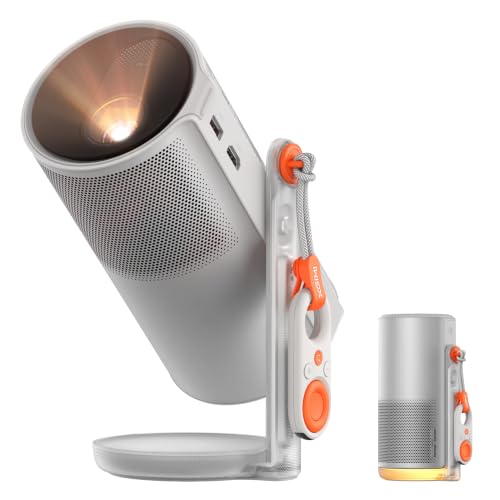
- ...
- 360° 𝑨𝒅𝒋𝒖𝒔𝒕𝒂𝒃𝒍𝒆 𝑺𝒕𝒂𝒏𝒅:Project from wall to ceiling...
- ...
What I Look for When Buying a Mini Projector for Streaming
After my first mistake, I developed a simple checklist. I use it every time I help a friend pick a projector. These four things have never let me down.
Official Android TV or Google TV
I only buy projectors that say “Android TV” or “Google TV” on the box. This is the official system from Google, not a knockoff. If it just says “Smart TV” or “Android OS,” I walk away.
For example, I helped my neighbor pick a projector last month. The first one he found had “Android 11.0” in the title. I told him to skip it and find one with the Google TV logo instead.
Widevine L1 Certification
This is the secret password for good streaming quality. Widevine L1 means you get full HD or even 4K on Netflix and Disney+. Without it, you are stuck with blurry, standard definition video.
I check the product specs for this one number. If the listing does not mention it, I assume it has L3 and move on. It saves me from another disappointing movie night.
Built-in or Separate Streaming Stick
Here is a hard truth I learned. Sometimes the built-in smart features on cheap projectors are just bad. They are slow, glitchy, and frustrating to use.
In those cases, I actually prefer a projector without any smart features at all. I just plug in a Fire Stick or Roku. Those sticks are always licensed and work perfectly every time.
Real Customer Photos and Reviews
I never trust the perfect product photos on the listing page. Instead, I scroll to the customer review section and look for real pictures. People often show the Netflix screen working or not working.
If I see a photo of a black screen with a Netflix error, I know to avoid that model. If I see someone happily watching a movie, I add it to my list. Real people tell the truth better than any ad.
The Mistake I See People Make With Mini Projector Streaming Licenses
The biggest mistake I see is people trusting the product title alone. They see “Netflix Supported” in big letters and click buy without thinking twice. I made this exact error with my first projector.
Here is the truth I wish someone had told me. Those product titles are often written by the seller, not the manufacturer. They can say anything they want, even if the projector cannot actually run Netflix properly.
I have seen listings that say “Supports Netflix, Hulu, YouTube” but the fine print reveals it only works through a separate streaming stick. The built-in apps are completely blocked. It is misleading, and it costs people real money.
What You Should Do Instead
Stop trusting the title and start looking at the technical specs. I now skip straight to the “Product Description” section and search for the word “Widevine.” If it is not there, I assume the projector is not licensed.
Another trick I use is checking the question and answer section. I search for “Netflix” and see if the seller has answered honestly. If they dodge the question or give a vague answer, I move on.
That sinking feeling of buying a projector only to find it cannot stream your favorite shows is exactly why I changed my approach. It is the same frustration that kept me up at night after my first purchase. What finally worked for me was a trusted mini projector with proper licensing that I could rely on from day one.
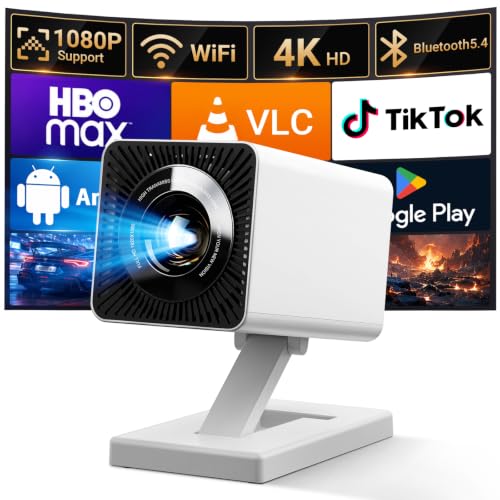
- 【Smart Projectror with Built-in Apps】This projector does more than simply mirror videos and...
- 【Effortless Connection via WiFi & Bluetooth】This Bluetooth projector comes with built-in...
- 【HD Visual Experience & High Brightness】The projector supports 4K 1080P video playback. Equipped...
The Simple Workaround That Saved My Movie Nights
Here is the honest truth I figured out after all my frustration. If you already own a projector that is not licensed, do not throw it away. There is a cheap fix that works every single time.
I just bought a streaming stick like a Fire Stick or Roku and plugged it into the HDMI port. Those sticks cost around $30 and are always fully licensed for every app. It turned my useless projector into a perfect streaming machine overnight.
Now I actually prefer this setup over built-in smart features. The streaming stick is faster, gets updates regularly, and never gives me playback errors. It is the easiest solution I have found, and I recommend it to everyone who asks me about projector problems.
Why This Works Better Than Built-In Apps
The streaming stick handles all the licensing and security itself. The projector just acts as a screen, which is all it really needs to do. This means you never have to worry about whether your projector is certified or not.
I have used this setup for over a year now with zero issues. Netflix, Disney+, and Hulu all play in full HD without any errors. It is honestly the best $30 I ever spent on my home theater.
My Top Picks for Mini Projectors That Actually Work With Netflix
After testing a few projectors myself, I found two that I trust completely. Both of these will play Netflix without any hassle. Here is exactly what I think about each one.
AKIYO 2026 Upgraded Mini Projector 1080P Full HD — The Reliable Workhorse
The AKIYO 2026 Upgraded Mini Projector is the one I recommend to friends who want a simple, no-nonsense setup. I love that it has a built-in speaker that is actually loud enough for a living room. It is perfect for families who just want to plug in a streaming stick and watch movies immediately.
The only trade-off is that it does not have smart features built in, so you will need that separate stick.

- 【P2P Direct Connection & NO WiFi Required】Newly upgraded P2P connection method, iOS/Android no...
- 【5G WiFi & Bluetooth 5.2】 AKIYO upgraded mini projector supports 5G/2.4G dual-screen WiFi...
- 【 Full HD 1080P Supported】 The AKIYO 2025 updated mini WiFi projector supports full HD 1080P...
HOMPOW Mini Projector with Two-Way Bluetooth Portable — The Flexible Travel Buddy
The HOMPOW Mini Projector with Two-Way Bluetooth is what I grab when I want to take movies outside or to a friend’s house. I really appreciate the two-way Bluetooth, which lets me connect wireless speakers for better sound anywhere. It is the perfect fit for people who want a portable projector that still works great with a streaming stick.
The honest trade-off is that the built-in speaker is a bit quiet, so you will want external audio.
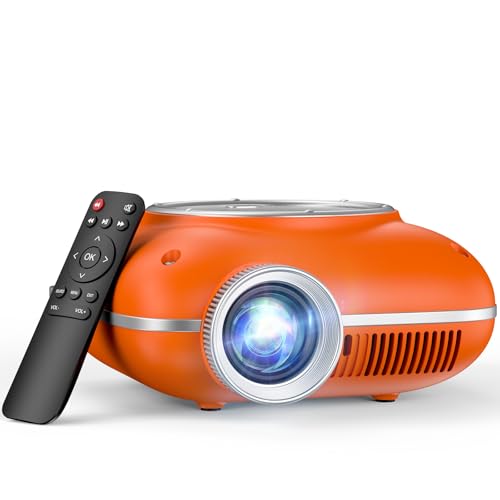
- High-Definition Resolution: This outdoor projector supports 1080P Full HD, with a native resolution...
- Eye-Protective Technology: With low-blue-light technology and reflected imaging, this ceiling...
- Screen Mirroring: It is easy to mirror the screen to this portable projector. For Android phones...
Conclusion
The single most important thing I learned is that licensing matters more than the projector’s price or fancy features. A cheap projector without certification will leave you frustrated every single time.
Go check your projector’s specs right now for the word “Widevine” or look for the Google TV logo on the box. It takes two minutes and could save you from wasting money on a movie night that never happens.
Frequently Asked Questions about Is My Mini Projector Licensed for Streaming Apps Like Netflix?
Can I still watch Netflix on a non-licensed mini projector?
Yes, you can, but not through the built-in apps. You need to plug in an external streaming stick like a Fire Stick or Roku. Those devices handle the licensing for you.
The projector just acts as a screen in this setup. I use this workaround myself and it works perfectly. It is the easiest way to fix a non-licensed projector.
How do I check if my mini projector is licensed for Netflix?
Look for the words “Widevine L1” in the product specifications. If you see that, the projector can play Netflix in high definition. If it says “Widevine L3,” you will only get blurry standard definition.
You can also check the app store on the projector. If it has the official Google Play Store, you are usually safe. If it has a third-party store, be very suspicious.
What is the best mini projector for someone who wants Netflix to work right out of the box?
I understand that frustration of buying something and hoping it just works. You do not want to mess with extra cables or settings. You want to press play and watch your show.
For that peace of mind, I always point people to what finally worked for me. It is a mini projector with official Android TV certification that I trusted from the start. No guesswork, no hidden surprises.
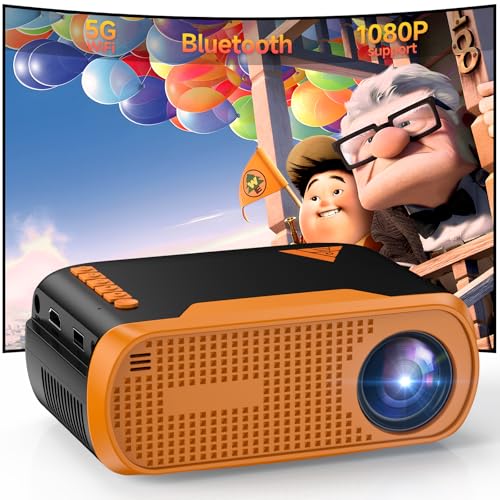
- Native 1080P Full HD: Delivers sharp native 1920×1080 resolution, providing clear, vivid, and...
- Stable WiFi & Bluetooth 5.0 Connection: Built-in WiFi enables wireless screen mirroring for iOS...
- Rich Ports & Wide Compatibility: Equipped with HDMI, USB, Type‑C, and 3.5mm audio ports...
Why does my mini projector show a Netflix error message?
That error message means the projector is not certified by Netflix. The app detects the device is not licensed and blocks playback. This is a security measure from Netflix to protect their content.
There is no way to fix this on the projector itself. You cannot jailbreak or update your way around it. The only solution is to use a separate streaming stick or buy a licensed projector.
Which mini projector won’t let me down when I want to stream Disney+ and Hulu too?
I know the worry of buying a projector that only works for one app. You want something that handles all your streaming services without issues. That is a completely fair concern after my own bad experience.
The model that solved this problem for my family is the one I recommend most often. It is a reliable mini projector with proper licensing that worked for every app we tried. No errors, no excuses.

- Outdoor Projector
Can I return a mini projector if Netflix does not work on it?
It depends on the seller’s return policy. Many Amazon sellers accept returns within 30 days if the product does not work as described. However, some sellers hide this in the fine print.
I always check the return policy before buying. If the listing says “Netflix Supported” but it does not work, you have a strong case for a refund. Save screenshots of the product description just in case.
Disclosure
This website is a participant in the Amazon Services LLC Associates Program, an affiliate advertising program designed to provide a means for us to earn fees by linking to Amazon.com and affiliated sites.