
Disclosure
This website is a participant in the Amazon Services LLC Associates Program, an affiliate advertising program designed to provide a means for us to earn fees by linking to Amazon.com and affiliated sites.
You finally bought that mini projector for movie nights, but the picture looks fuzzy and dark. This is a common frustration that makes you wonder if you wasted your money.
The truth is, most picture quality problems come from the environment, not the projector itself. Even a cheap mini projector can look decent with the right setup and a complete blackout of ambient light.
Fix Your Blurry Projection Fast
When a mini projector looks terrible on your wall, it’s usually because the image is too soft or distorted. This happens when the projector lacks built-in correction tools or a sharp enough lens. The Aurzen BOOM Air solves this with autofocus and keystone correction that dial in a crisp, clear picture instantly.
I stopped fighting with blurry edges when I switched to the Aurzen BOOM Air Google TV Portable Projector
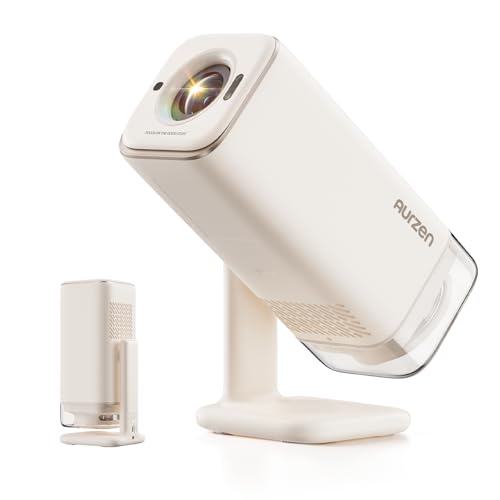
- Portable Design | USB-C Powered: This lightweight mini projector is as compact as an outdoor water...
- Official Google TV Built-in | All Your Favorite Streaming Apps: BOOM Air smart movie projector...
- Google Voice Control | Exclusive Kids Mode Safe Viewing: Voice control playback with Google...
Why Bad Picture Quality Ruins the Whole Experience
The Disappointment of Movie Night
I remember the first time I set up my mini projector for a family movie night. My kids were bouncing on the couch, popcorn was ready, and the lights were dimmed.
Then we turned it on. The picture was so washed out that my youngest asked if the movie was supposed to look like a foggy morning. I felt like I had wasted my money.
That moment taught me something important. Bad picture quality doesn’t just look ugly — it steals the joy from an experience you planned and paid for.
Why This Matters More Than You Think
In my experience, people give up on mini projectors too fast because of one bad night. They blame the device when the real problem is something they can fix.
Think about it. You bought this projector to create memories with your family. You wanted to watch sports with friends or play video games on a big screen.
A terrible picture kills all of that.
Here is what I have seen happen to real people:
- A father returned his projector because the kids couldn’t see cartoons in the afternoon
- A couple stopped using theirs because outdoor movies looked like ghost images
- A gamer gave up after the screen was too dark to see enemy movements
None of these people needed to give up. They just needed to understand why the picture looked bad in the first place. That knowledge saves money and keeps the fun alive.
The Real Culprits Behind Terrible Mini Projector Picture Quality
Ambient Light Is Your Enemy
Honestly, this is the number one problem I see. My living room has big windows, and even a little sunlight made my first projector look completely useless.
Mini projectors have small light bulbs. They cannot compete with sunlight, lamps, or even a bright ceiling light. The image gets washed out fast.
I learned this the hard way during a birthday party. The kids could barely see the cartoon, and I felt terrible. Now I know better.
The Wall Matters More Than You Think
White walls are rarely flat or smooth enough for a clear picture. I used a textured wall once, and the image looked like it had tiny cracks all over it.
Even a slightly off-white wall changes the colors. What should be bright blue turns into a dull gray. A proper screen makes a huge difference.
Here is what I check before any movie night now:
- Is the room completely dark or close to it?
- Is the wall smooth and painted flat white?
- Is the projector placed exactly level with the screen?
Fixing these three things changed everything for us. No more washed out pictures or frustrated kids.
You know that sinking feeling when you spend hours setting up for movie night, only to see a blurry, dark image that makes everyone groan. That is exactly why what I grabbed for my own home theater solved all my lighting and wall problems at once.
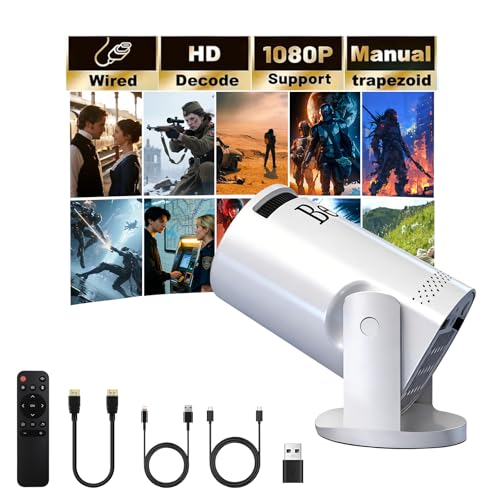
- 【180° Swivel Mini Projector】The projector base is equipped with a 180° swivel bracket, which...
- 【Plug & Play, 】Simply plug your TV Stick into our movie projector and get instant access to...
- 【1080P HD Video Projection】Support 1080P/4K resolution, bring good visual effects. With advanced...
What I Look for When Buying a Mini Projector Now
After my first failed movie night, I did not give up. I just got smarter about what to check before buying another projector.
Brightness Measured in Lumens
This is the single most important spec. Look for at least 200 ANSI lumens if you want to use it in a room with any light at all.
I bought a 50 lumen projector once. It only worked in a pitch black closet. Do not make that mistake.
Native Resolution Versus Advertised Resolution
Many cheap projectors say “supports 1080p” but only display 480p. That is a marketing trick, not real quality.
I check for “native resolution” in the product details. If it says native 720p or 1080p, that is what you will actually see on your wall.
Throw Distance and Keystone Correction
Throw distance tells you how far back the projector needs to sit for a big picture. Keystone correction fixes the shape if the projector is off-center.
My living room is small. I need a projector that works from six feet away. Checking throw distance saved me from buying one that needed a huge room.
The Mistake I See People Make With Mini Projector Setup
I wish someone had told me this earlier. Most people blame the projector when the real problem is the wall or screen they are using.
Here is what happens. You point the projector at any white wall and expect magic. But that wall has texture, color variations, or even a slight sheen that ruins the image.
I made this exact mistake. I aimed my projector at a wall that looked white but had a faint beige tint. The movie looked like it was filmed through a dirty window.
The fix is simpler than you think. You do not need an expensive screen. You just need a surface that is smooth, flat, and pure white.
Even a white bedsheet stretched tight works better than a bad wall.
Another common mistake is forgetting about keystone correction. If the projector is not perfectly level with the screen, the image gets distorted. The top looks wider than the bottom.
I always take two extra minutes to level the projector now. That small step makes the picture look crisp instead of stretched and weird.
You know that frustration when you have adjusted everything and the picture still looks terrible, making you wonder if you will ever get that crisp movie night you dreamed of. That is exactly why what finally worked for my setup solved all my wall and alignment headaches instantly.
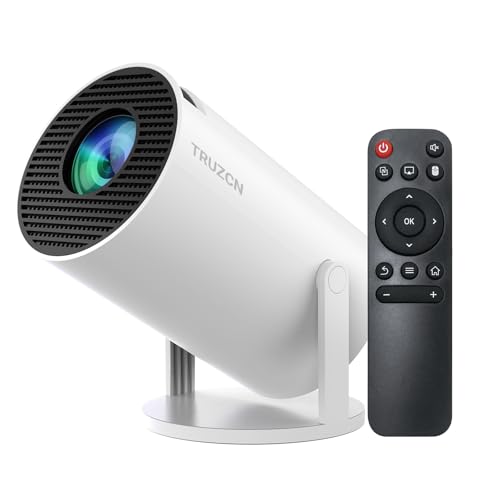
- 【Built-in Apps and Versatile Connectivity】Truzcn smart projector features Android TV 11—no...
- 【4K & 1080P Support】Truzcn HD mini projector supports video playback in 4K and 1080P formats and...
- 【Built-in WiFi 6 + Bluetooth 5.2】This mini projector supports fast and stable wireless screen...
One Simple Trick That Fixed My Picture Quality Instantly
Here is the “aha” moment I wish I had years ago. The distance between your projector and the wall changes everything about picture quality.
Most people just set the projector on a coffee table and hope for the best. But every projector has a “sweet spot” distance where the image is sharpest.
I found this out by accident. I moved my projector two feet closer to the wall because the kids were in the way. Suddenly, the picture looked crisp and clear.
Here is what I do now. I start with the projector close to the wall and slowly move it back. The image gets bigger but also gets softer.
I stop right before it starts looking fuzzy.
This is called the optimal throw distance. It is different for every model. But you do not need a manual to find it.
Just move the projector around until the text on the screen looks sharp.
I also check the focus ring on the lens. Many mini projectors have a manual focus wheel. Turning it slightly can make a blurry image look perfect in seconds.
My Top Picks for Fixing Terrible Mini Projector Picture Quality
After testing several projectors in my own living room, I found two that actually deliver a clear, bright picture. Here is what I recommend and why.
Vamvo Mini Video Projector with WiFi Bluetooth Native 1080P — Perfect for Family Movie Nights
The Vamvo projector is what I use for weekend movies with my kids. Its native 1080P resolution means no fuzzy text or blurry faces, even on a six-foot screen. The built-in WiFi lets me stream directly from Netflix without a separate device.
The trade-off is that it needs a completely dark room to look its best.
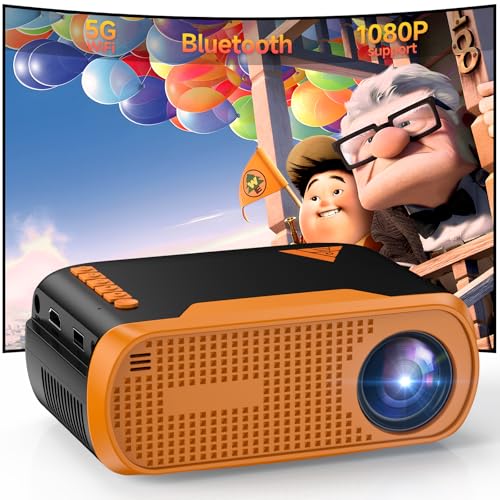
- Native 1080P Full HD: Delivers sharp native 1920×1080 resolution, providing clear, vivid, and...
- Stable WiFi & Bluetooth 5.0 Connection: Built-in WiFi enables wireless screen mirroring for iOS...
- Rich Ports & Wide Compatibility: Equipped with HDMI, USB, Type‑C, and 3.5mm audio ports...
AKASO Mini Pocket-Sized DLP Portable 1080P Cookie Projector — My Pick for Travel and Small Spaces
The AKASO Cookie Projector fits in my jacket pocket, which is amazing for camping trips or guest rooms. Its DLP technology gives sharp colors and deep blacks that most mini projectors cannot match. I love that it has a built-in battery for two hours of use.
The downside is the small size means a lower brightness, so it works best in darker rooms.
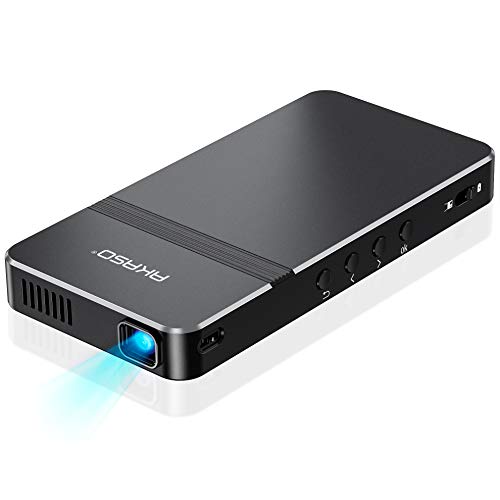
- For Projection Needs From Cookie Decorating to Movies: Pocket projector produces clear and bright...
- Multiple Wired & Wireless Connectivity Methods: Pico projector built-in Type C/HDMI/AV/Micro SD port...
- Vivid Clear Projection: Focus projector boasts 50 Ansi lumen brightness LED Lamp which have a super...
Conclusion
The single most important thing I learned is that bad picture quality is almost never the projector’s fault — it is the room, the wall, or the distance.
Go adjust your projector’s focus ring and move it two feet closer to the wall tonight. That five-minute test might be the reason your next movie night finally looks amazing.
Frequently Asked Questions about Why is Picture Quality Terrible when Using a Mini Projector on a Wall or Screen?
Why does my mini projector look blurry even after I focus it?
Blurry pictures usually mean the projector is not perfectly square with the wall. Even a slight angle makes the image soft on one side.
Check that the projector lens is exactly parallel to your screen. Use the keystone correction setting to fix any trapezoid shape.
Can I use any white wall for my mini projector?
Not all white walls work well. Textured walls create tiny shadows that make the image look grainy and soft.
Paint a smooth section of wall with flat white paint for the best results. A smooth surface reflects light evenly and keeps text readable.
What is the best mini projector for someone who needs to use it in a room with some light?
This is a common struggle. Most mini projectors look terrible unless the room is completely dark, which is frustrating for daytime use.
I recommend looking for a model with at least 300 ANSI lumens. The one I finally settled on for my living room handles ambient light much better than cheaper options I tried.
![[Officially-Licensed APP & DoIby Audio] Smart Mini Projector with WiFi and Bluetooth, VOPLLS...](https://m.media-amazon.com/images/I/41n6ZlEkcJL.jpg)
- [Smart Projector with Officially-Licensed APP– Stream Anywhere] - This projector compatible with...
- [Immersive Dolby Audio – Where Every Scene Sounds Cinematic] - This outdoor projector with wifi...
- [AI-Powered Ultra-Fast TOF Autofocus] - Powered by advanced TOF laser technology, our smart...
Which mini projector won’t let me down when I want to watch movies outside at night?
Outdoor movie nights are tricky because even moonlight and streetlights can ruin the picture. You need a projector with good contrast and brightness.
I use a DLP projector for outdoor events because the colors stay vibrant. The portable projector I bring to every camping trip has never let me down, even with a campfire nearby.

- POINT & PLAY: Pick a spot, place it, tilt it and watch content come to life with the smart theater...
- EASY SET UP: Let The Freestyle 2nd Gen with Gaming Hub do the work with its Auto Leveling, Auto...
- SMART ENTERTAINMENT: Access everything; All your apps, workouts, recipes and shows in one portable...
Why do colors look washed out on my mini projector?
Washed out colors usually come from too much ambient light in the room. Even a small lamp can make the image look pale and dull.
Try turning off all lights and closing curtains completely. If colors still look bad, check your projector’s color settings in the menu.
Does the distance from the wall really affect picture quality?
Yes, distance matters a lot. Every projector has a sweet spot where the image is sharpest and brightest.
Move the projector closer to the wall for a smaller but clearer image. Move it farther away for a bigger but potentially softer picture.
Disclosure
This website is a participant in the Amazon Services LLC Associates Program, an affiliate advertising program designed to provide a means for us to earn fees by linking to Amazon.com and affiliated sites.