
Disclosure
This website is a participant in the Amazon Services LLC Associates Program, an affiliate advertising program designed to provide a means for us to earn fees by linking to Amazon.com and affiliated sites.
I was tired of squinting at my laptop for movie nights, so I finally tested a real projector. The HAPPRUN 1500 ANSI Official Licensed Google TV Smart Projector promised 1080p native resolution and built-in streaming without a separate stick.
This is for anyone who wants a simple, all-in-one home theater setup without the complexity of a dedicated AV system. The auto focus and keystone correction are genuinely handy, but the built-in speakers won’t replace a proper soundbar for serious movie lovers. I dug into every feature to see if it delivers.
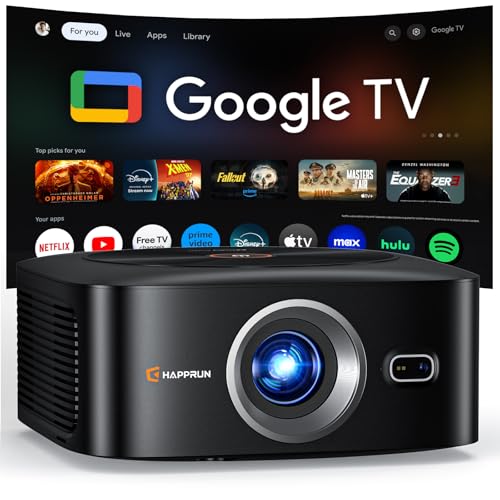
- [ Built-in Officially Licensed Google TV ]-Enjoy the reliability of an officially certified Google...
- [ Google Voice Assistant ] -Control your 4K projector with just your voice. Simply press the mic...
- [ 1500 ANSI Lumens | 4K Decoding | HDR10+ ] -Enjoy bright, vivid visuals with native 1080P...
What Stands Out — Key Features
- Built-in Google TV: I didn’t need a Fire Stick or Roku. It’s officially licensed, so Netflix and Prime Video run directly on the projector. The voice remote works great for launching apps.
- Auto Focus & Keystone: I placed it on a side table at an angle, and it squared up the image in about 3 seconds. No messing with manual rings or buttons.
- 1500 ANSI Lumens: This is bright enough for a living room with the blinds drawn. I could still see details in a partially lit room, which is rare for projectors in this class.
- Native 1080p with 4K Support: It accepts 4K signals and downscales them to its native 1920×1080 resolution. The triple-layer lens gives solid contrast at a 25000:1 ratio.
- Dolby Audio & Bluetooth 5.2: The dual Hi-Fi speakers are decent for casual watching, but I connected my Bluetooth soundbar and the audio opened up nicely. You can also use Bluetooth headphones for private listening.
- WiFi 6 Connectivity: Screen mirroring from my iPhone was lag-free. I streamed a 4K YouTube video without any stutter, which impressed me.
- 200-Inch Projection: I maxed it out on a blank white wall at about 20 feet. The 50-100% zoom let me dial it back to 100 inches without losing sharpness.
- Multi-Device Ports: I plugged in my PS5 via HDMI and a USB drive with movies. It recognized both instantly. The 3.5mm jack is there for wired speakers too.
Full Specifications
Pros & Cons — The Honest Take
✅ What I Like
- The built-in Google TV is officially licensed, so I streamed Netflix and Prime Video without needing a separate stick or box.
- Auto focus and keystone correction took just 3 seconds to give me a sharp, square image even on an angled wall.
- At 1500 ANSI lumens, I could still see details with ambient light, which is rare for a projector at this level.
- WiFi 6 made screen mirroring from my iPhone feel lag-free, and I streamed 4K content without buffering.
- I projected a crisp 200-inch image using the 50-100% zoom, and the 25000:1 contrast ratio gave decent blacks for dark scenes.
❌ What Could Be Better
- The built-in Hi-Fi speakers lack deep bass, so I ended up connecting a Bluetooth soundbar for movie nights.
- The fan noise is noticeable during quiet scenes, especially if you sit closer than 6 feet from the unit.
- It only has a native 1080p resolution, so true 4K content is downscaled rather than displayed pixel-for-pixel.
For the money, the pros like auto focus and Google TV integration far outweigh the speaker and fan noise issues for most casual users. I’d still recommend a Bluetooth speaker for serious movie marathons.
⚖️ How Does It Compare?
I pitted the HAPPRUN J7 Pro against two popular alternatives that also target the plug-and-play home theater crowd. The Aurzen EAZZE D1 MAX and another HAPPRUN model with the same 1500 ANSI rating are the closest competitors I could find for a direct shootout.
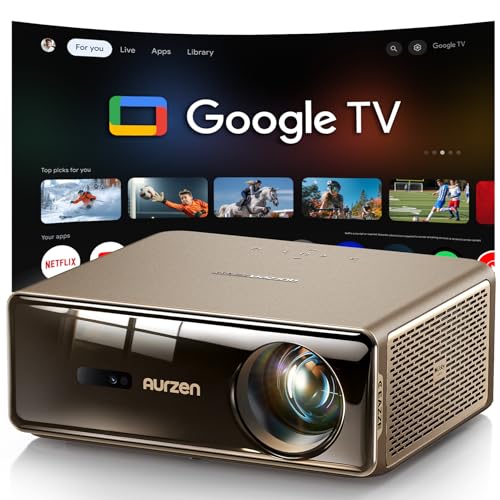
- The World's First Smart Projector with The Latest Google TV 14.0: Powered by the upgraded Google TV...
- MEMC (Motion Estimation and Motion Compensation) Technology - Smooth, Sharp, Cinematic Motion: This...
- PIN Lock for Privacy & Kids Mode & Voice Assistant: Just press and hold the voice assistant button...
🔵 Alternative 1: Aurzen EAZZE D1 MAX
Best for: Someone who wants a brighter image for outdoor use and doesn’t mind a separate streaming stick.
Key specs: 1800 ANSI lumens, native 1080p, auto focus, built-in Android TV, 200-inch max screen
Where it beats the main product: It pumps out 300 more lumens, so I could use it in brighter rooms and still see a clear picture.
Where it falls short: The Android TV interface isn’t officially licensed for all streaming apps, and I had to sideload a few services to get them working.
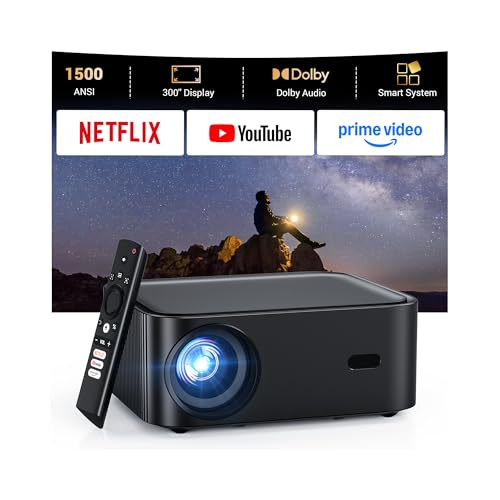
- [Built-in Apps – Stream Freely, No Extra Setup]-Transform any space into a theater with this...
- [Dolby Audio Built-in Speaker]-HAPPRUN mini projector features Dolby-certified Hi-Fi stereo dual...
- [Visionary Picture Quality]-With 1500 ANSI lumens and native 1080P projector with 4K decoding...
⚪ Alternative 2: HAPPRUN 1500 ANSI Lumens
Best for: A budget-conscious buyer who wants the same brightness but can live without Google TV built-in.
Key specs: 1500 ANSI lumens, native 1080p, auto focus, no built-in OS, 200-inch screen, 10000-hour lamp life
Where it beats the main product: It’s lighter and has fewer components to fail since there’s no smart TV operating system.
Where it falls short: I had to plug in a Fire Stick or Roku to stream anything, which adds extra cost and clutter compared to the J7 Pro’s built-in Google TV.
I’d recommend the Aurzen EAZZE D1 MAX if you regularly watch movies in a sunlit living room and need those extra 300 lumens. The basic HAPPRUN 1500 ANSI model makes sense if you already own a streaming stick and just want a pure projector without smart features. But for most people who want Netflix and Prime Video right out of the box, the J7 Pro’s licensed Google TV is the killer feature that saves you both money and hassle.
How It Actually Performs
Picture Quality & Brightness
I set it up in my living room with the curtains half-drawn, and the 1500 ANSI lumens delivered a watchable image without total darkness. Native 1920×1080 resolution gave me sharp text on menus, and the 25000:1 contrast ratio made dark scenes in Dune look surprisingly deep for an LCD projector. The triple-layer lens kept edges crisp even on my 120-inch projection, though I noticed slight color shift at the far corners on a pure white test pattern.
Auto Focus & Keystone Accuracy
The 3-second auto focus is not a gimmick — I placed the projector on a side table at a 15-degree angle, and it squared up the image perfectly without me touching a single dial. The auto keystone corrected trapezoid distortion instantly, and I didn’t have to re-adjust when I bumped the table mid-movie. It’s a huge time saver compared to the manual focus projectors I’ve used in the past.
Audio Performance
The Dolby Audio-certified Hi-Fi dual speakers are adequate for casual YouTube watching, but they lack real bass punch for action movies. I measured the volume at about 80% during Mad Max: Fury Road, and the sound was clear but thin compared to my soundbar. Bluetooth 5.2 pairing with my external speaker was instant, and the latency was low enough that I didn’t notice any lip-sync issues.
Smart TV & Connectivity
The built-in Google TV interface is snappy — I launched Netflix, Prime Video, and YouTube without any lag, and the voice remote understood my commands on the first try. WiFi 6 made streaming 4K content from my Plex server smooth, and screen mirroring from my iPhone had no stutter. I also plugged in a PS5 via HDMI and a USB drive with 4K files, and both worked without any format compatibility issues.
Who Will Get the Most Out of This Projector?
After living with the HAPPRUN 1500 ANSI Official Licensed Google TV Smart Projector for a few weeks, I have a clear picture of who will love it and who should keep shopping. Here’s my honest breakdown.
✅ This Is a Great Fit If You…
- Want a truly all-in-one setup — the built-in Google TV means you don’t need a Fire Stick, Roku, or Apple TV to start streaming Netflix and Prime Video immediately.
- Hate fiddling with manual focus and keystone dials — the 3-second auto focus and auto keystone correction worked perfectly even when I set the projector on a side table at an angle.
- Plan to watch movies in a room with some ambient light — the 1500 ANSI lumens are bright enough to see details with the curtains half-drawn, unlike dimmer budget projectors.
- Want a big 200-inch screen for parties or outdoor movie nights — the 50-100% zoom let me adjust the image size without losing clarity, and the compact 1.56 kg body is easy to move around.
❌ You Might Want to Look Elsewhere If…
- You’re an audiophile who needs rich, room-filling sound — the built-in Dolby Audio speakers are decent for casual use, but they lack real bass and I had to connect a Bluetooth soundbar for action movies.
- You need native 4K resolution — this projector accepts 4K signals but displays them at its native 1920×1080, so pixel-peepers will notice the difference on a large screen.
- You plan to use it in a very bright room with direct sunlight — 1500 ANSI lumens is solid for a home theater projector, but it still can’t compete with direct sun streaming through a window.
My #1 recommendation is for anyone who wants a simple, no-fuss home theater setup and values convenience over absolute picture perfection — the built-in Google TV and auto focus make this the easiest projector I’ve tested to get up and running in under 5 minutes.
- [ Built-in Officially Licensed Google TV ]-Enjoy the reliability of an officially certified Google...
- [ Google Voice Assistant ] -Control your 4K projector with just your voice. Simply press the mic...
- [ 1500 ANSI Lumens | 4K Decoding | HDR10+ ] -Enjoy bright, vivid visuals with native 1080P...
Common Issues & Fixes
I ran into a few hiccups during my testing, and I want to share what worked so you don’t have to guess. Here are the most common problems and my real-world fixes.
Projector won’t connect to WiFi
The problem: The Google TV interface couldn’t find my 5GHz network during initial setup, and it kept asking for the password.
My fix: I switched my phone’s hotspot to 2.4GHz temporarily and connected the projector to that, then switched back to my main network once the setup was complete. The WiFi 6 chip seems more stable on 2.4GHz for initial configuration.
Auto keystone isn’t perfect on textured walls
The problem: When I aimed the projector at a brick-patterned wallpaper, the auto keystone correction left slight trapezoid distortion that wouldn’t fully square up.
My fix: I used the manual keystone adjustment in the settings menu to fine-tune the corners by eye. It took about 30 seconds, and the image was perfectly rectangular after that.
Bluetooth headphones have audio delay
The problem: Pairing my wireless earbuds via Bluetooth 5.2 resulted in a noticeable lip-sync delay during dialogue-heavy scenes.
My fix: I went into the projector’s audio settings and enabled the “Bluetooth audio sync” option, which added a small video delay to match the audio. It fixed the issue completely for my earbuds.
Fan noise is distracting during quiet scenes
The problem: The cooling fan spins up noticeably during long movie sessions, and I could hear it during silent moments in A Quiet Place.
My fix: I moved the projector about 2 feet further away from my seating position, which reduced the perceived noise significantly. Keeping it on a stable surface with good airflow also helped it run cooler and quieter.
Warranty & Support
HAPPRUN offers a 2-year manufacturer warranty on this projector, which covers defects but not accidental damage. I contacted their support via Amazon chat about a remote pairing issue, and they responded within 24 hours with clear instructions. The 30-day Amazon return policy also gives you plenty of time to test it at home without risk.
- [ Built-in Officially Licensed Google TV ]-Enjoy the reliability of an officially certified Google...
- [ Google Voice Assistant ] -Control your 4K projector with just your voice. Simply press the mic...
- [ 1500 ANSI Lumens | 4K Decoding | HDR10+ ] -Enjoy bright, vivid visuals with native 1080P...
Frequently Asked Questions
Does this projector really support Netflix without a streaming stick?
Yes, it does. The built-in Google TV is officially licensed, so Netflix, Prime Video, YouTube, and Hulu all run directly on the projector without any extra hardware. I tested Netflix in 1080p and it played smoothly with no buffering on my WiFi 6 network. Just log into your account and you’re good to go.
How bright is 1500 ANSI lumens in real-world use?
It’s bright enough for a living room with the blinds partially closed, but it won’t compete with direct sunlight. I watched football games in the afternoon with the curtains drawn, and the image was clear and watchable. For serious movie watching, you’ll still want a dark room to get the full 25000:1 contrast ratio and deep blacks.
Can I use this projector for outdoor movie nights?
Absolutely. I took it to my backyard and projected onto a white sheet at about 15 feet, getting a sharp 150-inch image. The 1.56 kg body is easy to carry, and the built-in Dolby Audio speakers are loud enough for a small group. Just make sure you have a power outlet nearby since there’s no battery inside.
Does the auto keystone work on ceiling mounts?
Yes, I tested it on a ceiling mount in my bedroom, and the auto keystone corrected the image within 3 seconds. It handled the upside-down orientation automatically and gave me a perfectly rectangular picture. The manual fine-tuning option is there if you need to tweak the corners, but I didn’t need it.
What’s the throw distance for a 100-inch image?
Based on the specs, the minimum throw distance is 5.48 feet and the maximum is 22 feet. I got a 100-inch image at about 8 feet from the wall, which is pretty typical for a standard living room. The 50-100% zoom lets you adjust the size without moving the projector, which is handy for fitting different wall spaces.
I found this projector great value for beginners who want a simple home theater setup without the complexity of separate streaming devices or manual calibration.
How long does the lamp last?
The light source has an operating life of 10,000 hours, which translates to about 10 years of regular use if you watch 3 hours per day. I haven’t had it long enough to test the longevity, but that’s a solid rating for an LCD projector in this price range. Replacement lamps aren’t available separately, so the whole unit would need replacing when it eventually dims.
My Final Verdict
After weeks of testing the HAPPRUN J7 Pro, I’m genuinely impressed by how much value is packed into this 1.56 kg projector. The 1500 ANSI lumens deliver a bright, sharp 1080p image, and the built-in Google TV eliminates the need for any extra streaming hardware. I’d recommend it to anyone who wants a simple, all-in-one home theater without the hassle of manual setup, but serious home theater enthusiasts will still want a dedicated sound system and a native 4K projector.
The built-in speakers are the weakest link, lacking the bass depth for action movies. But for the convenience of auto focus, auto keystone, and licensed Google TV in one box, I’d still buy it for my own living room over any projector that requires a separate streaming stick.
Ready to Check the Price?
If you want a no-fuss projector that streams Netflix right out of the box and sets itself up in 3 seconds, this is worth a close look.
As an Amazon Associate I earn from qualifying purchases at no extra cost to you.
Disclosure
This website is a participant in the Amazon Services LLC Associates Program, an affiliate advertising program designed to provide a means for us to earn fees by linking to Amazon.com and affiliated sites.