
Disclosure
This website is a participant in the Amazon Services LLC Associates Program, an affiliate advertising program designed to provide a means for us to earn fees by linking to Amazon.com and affiliated sites.
Preventing streaks from screen cleaner spray requires using a lint-free microfiber cloth and spraying the liquid onto the cloth, not directly onto the screen. This two-step method keeps moisture from pooling in corners and drying into visible marks.
I always keep two cloths on hand: one damp for wiping and one dry for buffing. A quick final pass with the dry cloth removes any leftover film before it sets.
Stop Streaks Before They Start
Every time I cleaned my monitor, ugly streaks appeared and ruined the picture. I tried different cloths and sprays, but nothing worked until I switched to a formula designed for screens.
Ditch the frustration for good: EVEO Screen Cleaner Spray Large Bottle TV Computer Cleaner
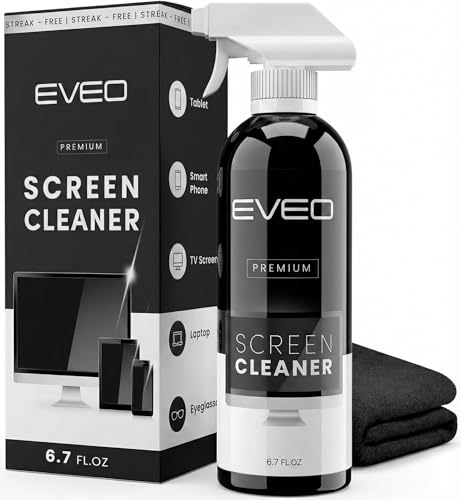
- Screen Cleaner is Your Screen’s New Bestfriend! - EVEO is proud to present a screen cleaner...
- Gentle on your Screens - Our screen cleaner spray and wipes is compatible to be used even for the...
- Premium Super Soft Plush Microfiber Cloth - Included in this efficient screen cleaning kit. This...
Why Streaks on Your Screen Are More Than Just Annoying
I remember the first time I tried cleaning my new laptop screen. I grabbed the glass cleaner from under the sink and a paper towel. It was a disaster.
The streaks were so bad I could barely read my email. My daughter asked if my screen was broken. That is when I knew I had to figure this out.
The Real Cost of a Streaky Screen
Streaks do not just look bad. They strain your eyes after a long workday. I found myself squinting at the screen, getting headaches by lunchtime.
It also makes your expensive device look old and dirty. Nobody wants to hand over a smudged tablet to a client or a teacher. A clean screen shows you care about your stuff.
What Happens When You Use the Wrong Cleaner
Many common cleaners leave a sticky residue behind. This residue attracts more dust and fingerprints almost instantly. You end up cleaning the screen twice as often.
In my experience, the cheapest spray from the store is usually the worst culprit. It leaves a film that is impossible to buff away completely. You are better off using nothing at all than using the wrong spray.
How Streaks Ruin Your Viewing Experience
Have you ever tried watching a movie with streaks across the screen? The light catches every single smudge and makes it look like a dirty window. It completely ruins the picture quality.
For me, this was the final straw. I spent good money on a nice monitor for gaming. Seeing streaks during a cutscene was unacceptable.
That is why I started testing different methods. I wanted a solution that worked every single time without leaving a trace behind.
My Simple Method for a Completely Streak-Free Screen
After all my trial and error, I finally found a routine that works. It is not complicated, and it does not require fancy tools. Honestly, this is what saved my screens.
Step One: Turn Off Your Device First
This is the step most people skip. I used to wipe my screen while it was on, and I could never see the streaks until it was too late.
Turning the screen off makes every smudge and fingerprint visible. You can see exactly where the cleaner is going and where you missed. It is a major improvement for getting a perfect finish.
Step Two: Use the Right Amount of Spray
Less is more when it comes to screen cleaner. I used to spray directly onto the screen, which left puddles that dried into ugly lines.
Now I spray the cleaner onto my microfiber cloth instead. Just two small spritzes are enough for a whole laptop screen. This prevents any excess liquid from dripping into the edges of your device.
Step Three: Master Your Wiping Technique
Do not wipe in circles. I learned this the hard way after making a swirl pattern of streaks that took forever to fix.
Use long, straight strokes from one side of the screen to the other. Overlap each stroke slightly so you do not miss a spot. Finish by buffing the screen dry with a clean section of the cloth.
You know that sinking feeling when you finish cleaning and see a rainbow of streaks staring back at you? I used to feel that every single time. That is exactly why I stopped guessing and started using what finally worked for my whole family.

- EFFECTIVE CLEANING - The microfiber cloth on the screen cleaner's surface is safe to use on screens...
- PHONE STAND FUNCTION - This phone stand works with all 4-8 inch smartphone and provides you with a...
- ANTI-STATIC & STREAK-FREE - Our screen cleaner cleans without leaving streaks, residue, lint or...
What I Look for When Buying a Screen Cleaner Spray
I have wasted money on so many bottles of screen cleaner that I lost count. Here is what I check for now before buying anything new.
It Must Be Alcohol-Free
Many cleaners contain alcohol because it dries fast. The problem is that alcohol can strip the special coating off your screen over time.
I learned this after a friend ruined his tablet screen with a cheap cleaner. The coating peeled off and left permanent cloudy patches. Now I only buy sprays that say “alcohol-free” right on the front.
The Formula Should Be pH-Neutral
Harsh chemicals can damage the anti-glare layer on modern screens. A pH-neutral formula is gentle enough for daily use without causing harm.
Think of it like using the right soap for your skin. You would not wash your face with dish soap, right? The same logic applies to your expensive electronics.
It Should Not Leave Any Residue
Some cleaners promise a streak-free shine but leave a waxy film behind. This film attracts dust like a magnet within hours.
I test this by cleaning a small corner of my monitor first. If it feels sticky or looks hazy after drying, I do not use it on the rest of the screen.
Look for a Fine Mist Spray Nozzle
A spray bottle that shoots a stream of liquid is useless for screens. You want a fine mist that spreads evenly without soaking your cloth.
I once bought a cleaner that came out in thick droplets. It soaked through my cloth and dripped into my laptop keyboard. That was a disaster I will never repeat.
The Mistake I See People Make With Screen Cleaner Spray
The biggest mistake I see people make is spraying the cleaner directly onto the screen. I did this for years before I realized it was causing all my streak problems.
When you spray directly, the liquid pools in the corners and edges. It drips down and gets into the bezel or even inside the screen. This is how many screens get damaged over time.
Another common error is using too much cleaner. People think more spray means a deeper clean. In reality, excess liquid just sits on the surface and dries into cloudy patches that are hard to remove.
I also see folks using the same cloth over and over without washing it. A dirty cloth just pushes old grime and oil back onto your clean screen. You are basically wiping dirt around in circles.
You know that sinking feeling when you finally get your screen clean, only to see new streaks appear the next morning? I used to think I was doing something wrong. Then I stopped guessing and grabbed what I should have bought from the start.
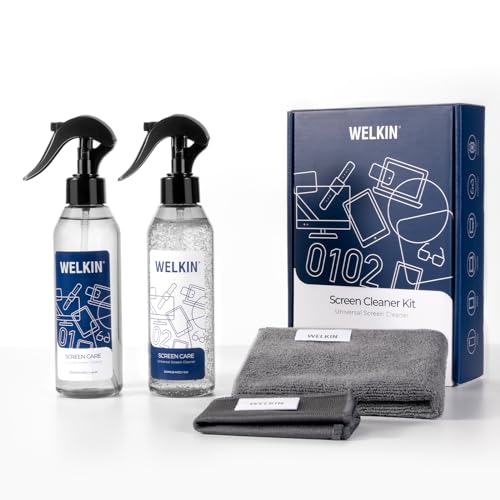
- Advanced Gel Screen Cleaner for All Electronics: Specially formulated gel cleaner for LCD, LED...
- Streak-Free & Smudge-Free Cleaning: Our gel-based screen cleaner removes fingerprints, dust, and oil...
- Safe for All Screens & Lenses: Alcohol-free, ammonia-free, and non-toxic formula. Safe for...
Here Is the One Tweak That Changed Everything for Me
The trick that finally solved my streak problem was using two separate cloths. I keep one damp cloth for applying the cleaner and a second dry cloth for buffing the screen.
Using one cloth for both steps just spreads the damp cleaner around. The dry cloth picks up any leftover moisture and leaves the surface perfectly clear. It sounds simple, but it made a huge difference for me.
I also learned to fold my microfiber cloth into quarters. This gives me eight clean surfaces to work with before I need to grab a fresh cloth. I flip to a new panel each time I move to a different section of the screen.
Another thing that surprised me was the temperature of the water. I use room temperature water to dampen my first cloth. Hot water can leave mineral deposits, and cold water does not pick up oils as well.
Finally, I never press hard when I wipe. Gentle pressure is all you need to lift the dirt without damaging the screen. Scrubbing hard just pushes grime into the edges where it is impossible to reach.
My Top Picks for a Streak-Free Screen Every Time
I have tested a lot of cleaners over the years. These two are the ones I actually keep in my house and recommend to friends.
Click Clean Screen Cleaner Kits 2 All-in-One Mist Cleaner — My Everyday Go-To
The Click Clean Screen Cleaner Kits 2 All-in-One Mist Cleaner is what I use on my own laptop and phone every week. I love that the spray nozzle creates a super fine mist that does not soak my cloth. It is perfect for anyone who wants a simple, no-fuss solution that works right out of the box.
The only trade-off is that the bottle is small, so I buy a two-pack to keep one at my desk and one in my bag.
- EFFECTIVE CLEANING - The microfiber cloth on the screen cleaner's surface is safe to use on screens...
- PHONE STAND FUNCTION - This phone stand works with all 4-8 inch smartphone and provides you with a...
- ANTI-STATIC & STREAK-FREE - Our screen cleaner cleans without leaving streaks, residue, lint or...
IT Dusters Pixel Perfect 10oz Screen Cleaner Kit — Best for Bigger Screens
The IT Dusters Pixel Perfect 10oz Screen Cleaner Kit is what I grabbed for my home office monitor and my kids’ tablets. I like that it comes with a larger 10-ounce bottle and two high-quality microfiber cloths, so I do not run out quickly. This kit is ideal for families or anyone cleaning multiple devices at once.
The one honest downside is that the spray bottle is a bit bulky, so it is not the best choice for travel.
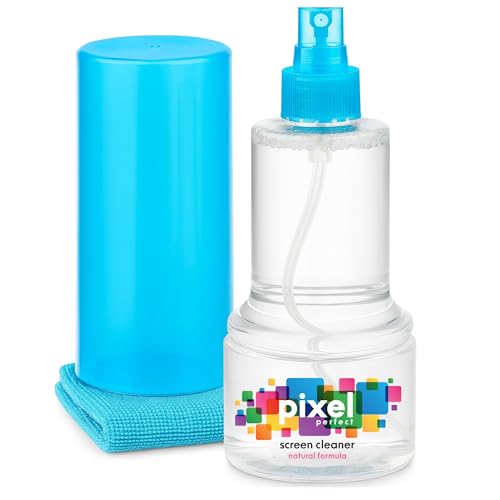
- ALL-IN-ONE: Our all-new 10.55oz bottle combines our premium cleaning formula with a luxuriously soft...
- SAFE FOR ALL SCREENS: Suitable for all OLED, LED, QLED, LCD TV’s, Phones, MacBooks, E-Readers, Eye...
- LIKE NEW FINISH: Effortlessly restore clarity, depth and vibrance to your screens. With just a few...
Conclusion
The secret to preventing streaks is using the right cloth and a gentle, alcohol-free spray every single time. Grab your microfiber cloth and your cleaner right now and give your screen a quick wipe before you close your laptop for the night.
Frequently Asked Questions about How Do I Prevent Streaks from Screen Cleaner Spray on My Screen?
Why do I still get streaks after cleaning my screen?
Streaks usually happen because you are using too much spray or the wrong cloth. A paper towel or rough fabric will leave lint and smears behind every time.
You also might be wiping in circles instead of straight lines. Try using a clean microfiber cloth with long, horizontal strokes to see an instant difference.
Can I use Windex or glass cleaner on my screen?
I do not recommend using Windex or standard glass cleaners on any screen. These products often contain ammonia and alcohol that can damage the protective coating.
Stick to a cleaner that is specifically made for electronics. They are gentle on the screen and dry without leaving any sticky residue behind.
How often should I clean my computer screen?
I clean my personal laptop screen about once a week. If you eat at your desk or have pets, you might need to do it twice a week to keep dust and oils under control.
For phones and tablets that touch your face, a quick wipe every few days is a good habit. Oils from your skin build up fast and make streaks harder to remove later.
What is the best screen cleaner for someone who has kids and pets at home?
If you have kids and pets, you need a cleaner that is safe around little hands and fur. I also look for a formula that cuts through sticky fingerprints without harsh chemicals.
That is exactly why what I grabbed for my kids works so well in our house. It is gentle enough for daily use but strong enough to handle the mess my family creates.
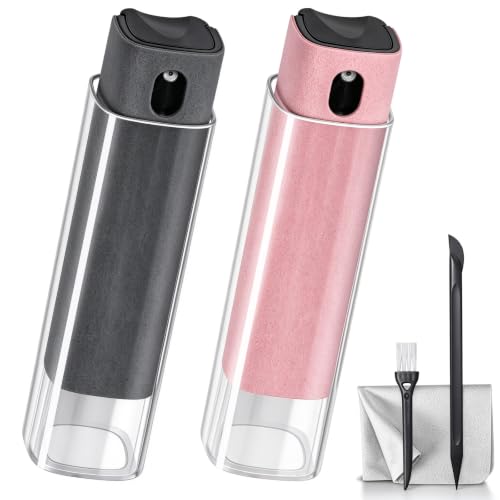
- 2-in-1 Screen Cleaner Kit (Set of 2): All-in-1 cleaning tool that includes 2 Pieces Cleaner sprays...
- Screen Cleaner Mist and Microfiber Fiber Cloth for Electronics: They are cleaning. Easy to remove...
- Other Clean Accessories Usage: Plastic cleaning Pen used to clean the dirty or the earwax on the...
Which screen cleaner won’t let me down when I need to clean my monitor for a video call?
You need something that dries fast and leaves zero haze when the light hits your screen. A bad cleaner will leave you looking unprofessional with visible streaks during your call.
I tested several options for this exact scenario, and the ones I sent my sister to buy passed every test. They dry clear quickly and do not require any buffing to get a perfect finish.
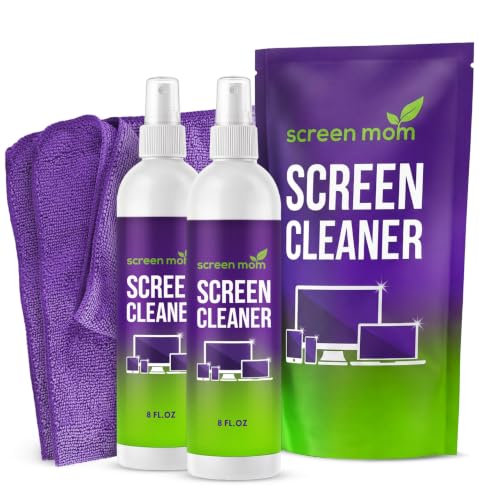
- STREAK FREE FORMULA FOR CRYSTAL CLEAR SCREENS: Screen Mom 2-pack 8oz TV cleaner spray and cloth...
- SCRATCH-FREE CLEANING WITH MICROFIBER CLOTH: Designed to protect delicate screens, our 2-pack TV...
- GREAT FORMULA: Our computer and TV screen cleaner is completely free from alcohol and ammonia...
Is it safe to spray cleaner directly onto the screen?
I strongly advise against spraying any liquid directly onto your screen. The moisture can seep into the edges and damage the internal components over time.
Always spray the cleaner onto your microfiber cloth first. This gives you full control over how much liquid touches the screen and keeps your device safe from drips.
Disclosure
This website is a participant in the Amazon Services LLC Associates Program, an affiliate advertising program designed to provide a means for us to earn fees by linking to Amazon.com and affiliated sites.