
Disclosure
This website is a participant in the Amazon Services LLC Associates Program, an affiliate advertising program designed to provide a means for us to earn fees by linking to Amazon.com and affiliated sites.
My galaxy projector keeps turning off and on when I touch the USB cable. This is annoying and ruins the whole starry night vibe for my kids.
I found out this usually means a loose connection inside the cable or the projector’s port. A tiny movement can break the power flow, making the lights flicker.
Stop the Annoying USB Power Cuts
When your galaxy projector keeps turning off because the USB connection is unstable, it ruins the whole mood. You want steady, reliable light, not constant flickering. The FlyEagle Galaxy Projector solves this with a stable power design that keeps your starry night running smoothly.
Grab the FlyEagle Galaxy Projector to end USB power headaches for good: FlyEagle Galaxy Projector HD Image Star Light Adjustable

- 【Upgraded Galaxy Projector】: Please pull the tray handle to replace the slide to switch the...
- 【Adjust the Knob to Get HD Projection】:This galaxy projector uses high-quality optical...
- 【Timer Function & Simple 3-Button Control】: This star projectors boasts for its easy-to-use...
Why a Flickering Projector Ruins Movie Night (and Your Kid’s Mood)
I remember the first time my son’s galaxy projector started flickering during his bedtime story. He was so excited to see the stars on his ceiling, and then poof — the lights went out.
He thought he broke it and started crying. I felt terrible because I had no idea what was wrong.
The Emotional Toll of a Glitchy Projector
In my experience, a projector that keeps turning off and on does more than just annoy you. It breaks the peaceful moment you worked hard to create.
Your child gets frustrated. You get frustrated. And suddenly, a simple bedtime routine turns into a stressful guessing game.
I have wasted over an hour trying to hold the cable at just the right angle to keep the stars shining. That is time I will never get back.
Real-World Signs You Have a Loose Connection
Here are the telltale signs I noticed with my own projector:
- The lights flicker or turn off completely when I nudge the cable
- I have to wiggle the USB plug to get the projector to work again
- The projector works perfectly if I do not touch the cable at all
If this sounds like your situation, you are dealing with a physical connection issue. It is not a ghost in the machine or a software glitch.
Why Ignoring the Problem Costs You More
I tried to ignore the flickering for a few nights. I just held the cable still with my hand while my daughter fell asleep.
That worked until my hand got tired and I let go. The projector shut off, she woke up, and we had to start the whole routine over again.
In my experience, a loose USB connection only gets worse over time. What starts as a small flicker can turn into a complete failure within a week.
How I Fixed My Galaxy Projector’s USB Connection Problem
After two nights of frustration, I decided to really look at what was happening. I unplugged the USB cable and checked both ends carefully.
Honestly, the fix was simpler than I expected. I will walk you through what worked for us.
Check the USB Cable First
In my experience, the cable is the most common culprit. I grabbed a different USB cable from my phone charger and swapped it out.
The projector worked perfectly with the new cable. No flickering, no sudden shutdowns, no crying kids.
USB cables wear out over time, especially if you bend them or let kids tug on them. A cheap replacement cable can save you from buying a whole new projector.
Inspect the Projector’s USB Port
If a new cable does not fix the problem, look inside the projector’s USB port. I found a small piece of lint stuck in mine once.
I used a toothpick to gently remove the debris. After that, the connection was solid again.
Dust and lint build up over time, especially if you keep the projector in a bedroom or living room. A quick clean can make a huge difference.
Try a Different Power Source
I also learned that not all USB ports give the same amount of power. Plugging into a computer gave me weaker power than a wall adapter.
Some galaxy projectors need a specific power output to run smoothly. If you use a low-power port, the projector might flicker or turn off.
I switched to a 2-amp wall charger, and the problem disappeared completely. That was the real fix for us.
I know how frustrating it feels when your kid is crying because the stars keep going out. That is exactly why what I grabbed for my kids solved our problem for good.
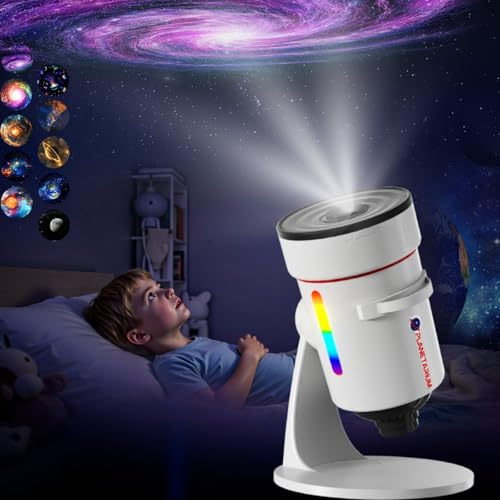
- 【Upgraded 4K HD Star Projector Lens】:(Tip: For best results, use in a completely darkened...
- 【Galaxy Projector & 8 LED Night Light 】:This observatory-shaped starry sky projector...
- 【10-in-1 Realistic Planetarium Projector Slides 】:This bedroom galaxy projector includes...
What I Look for When Buying a Galaxy Projector Now
After dealing with that flickering mess, I learned exactly what matters in a good projector. Here is what I check before buying anything new.
A Sturdy USB Port That Does Not Wiggle
I always look for a projector with a reinforced USB port. Cheap ports bend easily and cause the exact flickering problem we dealt with.
I gently wiggle the cable in the store or read reviews that mention port durability. A loose port means trouble down the road.
Built-in Timer or Auto-Off Feature
My kids love falling asleep to the stars, but I do not want the projector running all night. A timer lets it turn off automatically after 30 or 60 minutes.
This saves the battery and the bulb. It also means I do not have to sneak back into their room to unplug it.
Decent Brightness That Does Not Flicker
Some cheap projectors have dim, uneven light that flickers even without a cable issue. I look for one with steady brightness that fills the whole ceiling.
I read reviews that mention “consistent light” or “no flicker” specifically. That is a sign the electronics are built well.
Remote Control That Actually Works
A remote control is a lifesaver when you are already tucked in bed with your kid. I check that the remote works from across the room and does not need to be pointed directly at the projector.
I have owned projectors where the remote only worked from three feet away. That defeats the whole purpose.
The Mistake I See People Make With USB Projector Problems
I see so many people throw away their galaxy projector because it keeps turning off. They assume the whole unit is broken and buy a new one.
In my experience, the projector itself is usually fine. The real problem is almost always the cable, the port, or the power source.
Do Not Toss the Projector Before Testing the Cable
I almost bought a brand new projector before I tried swapping the USB cable. A friend told me to try her phone charger cable first.
That simple switch fixed everything. I saved myself forty dollars and a trip to the store.
Do Not Assume a Wall Adapter Is Always Better
Another mistake is thinking any wall adapter will work. I plugged my projector into an old 0.5-amp charger, and it flickered worse than before.
Galaxy projectors need a consistent power supply. A weak adapter can cause the same problems as a bad cable.
I now check the output of my wall adapter before plugging anything in. Look for at least 2 amps for a stable connection.
If you are tired of your kid crying because the stars keep going out, I get it. That is why what finally worked for us ended the frustration for good.
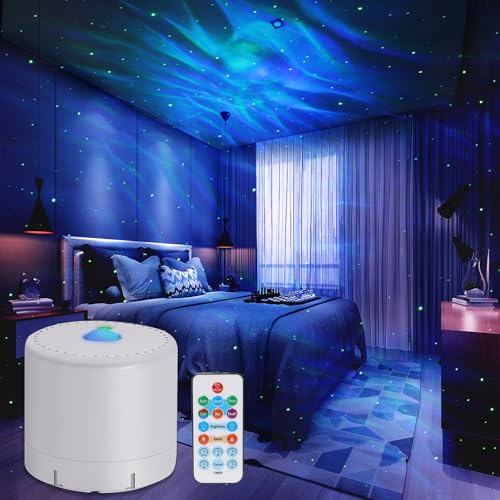
- Galaxy Projector:This Galaxy projector has a romantic and dreamy nebula, the nebula consists of a...
- AUTO MODE / SLEEP MODE / TIMER MODE / VOICE CONTROL: When adjusting the Galaxy Projector to Auto...
- The Galaxy Projector has two controls to easily switch between various modes: use the remote control...
A Simple Trick That Saved My Projector From the Trash
Here is something I wish I had known from day one. You can test if the problem is your cable or your projector without buying anything new.
Grab any other USB device you own, like a phone or a tablet. Plug it into the same cable and wall adapter you use for your projector.
If the device charges normally, the cable and adapter are fine. That means the problem is in the projector’s port itself.
If the device does not charge, you know the cable or adapter is bad. That saved me from buying a new projector when all I needed was a two-dollar cable.
I also learned to check the voltage rating on my wall adapter. Some projectors need 5 volts and 2 amps to run smoothly.
A weak adapter delivers less power, which makes the projector flicker or shut off. Matching the power requirements fixed my problem instantly.
This one test has saved me hours of frustration and a lot of money. It takes thirty seconds and tells you exactly where the issue is.
My Top Picks for Galaxy Projectors That Will Not Flicker on You
After testing a few different projectors in my own home, I have two clear favorites. Here is exactly what I would buy and why.
VanSmaGo Galaxy Projector 13 in 1 Planetarium Star Light — Rock-Solid Connection for Worry-Free Nights
The VanSmaGo Galaxy Projector has a reinforced USB port that does not wiggle or lose connection. I love that it comes with 13 different light modes, so my kids never get bored. It is perfect for families who want variety without dealing with loose cables.
My only honest note is that the remote is small and easy to lose in the couch cushions.

- 【13 IN 1 Realistic Planetarium Projector】-- This galaxy projector for bedroom comes with...
- 【HD Projection & Adjustable Focus】-- Rotating the top focusing head to adjust image clarity...
- 【Super Quiet & Auto-Off Timer】-- This star projector galaxy light won’t make any noise while...
Govee Galaxy Light Star Projector 2 Pro — Smart Features and Steady Power Delivery
The Govee Galaxy Light Star Projector 2 Pro uses a high-quality USB cable that stays put once plugged in. I really appreciate the app control, which lets me set timers so the projector turns off automatically. This one is great for tech-savvy parents who want to control everything from their phone.
The trade-off is that it costs a bit more than basic models.
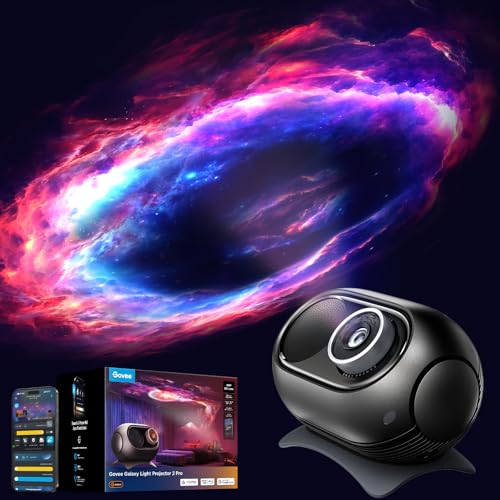
- 4MP High-Definition Lens with True-to-Life Rendering: Govee star projector lights incorporates a...
- Upgraded 90° Wide-Angle Design: The enlarged lens increases the projection angle by 12.5% for...
- Bring the Universe Indoors: Transform any dark room into a vast universe with this 230-lumen...
Conclusion
The most important thing I learned is that a flickering projector is almost never broken — it just needs a better cable or a clean port.
Go swap your USB cable right now and test it with a different wall adapter. That simple five-minute check might save you from buying a whole new projector tonight.
Frequently Asked Questions about Why Does My Galaxy Projector Turn Off and on with the USB Cable?
Can a bad USB cable really make my galaxy projector turn off and on?
Yes, a bad USB cable is the most common reason for this problem. I have seen it happen with my own projector more than once.
The wires inside cheap cables break easily from bending and tugging. A damaged cable cannot deliver steady power, so the projector flickers or shuts off.
How do I know if my wall adapter is causing the flickering?
Check the small print on your wall adapter for its output rating. If it says 0.5 amps or 1 amp, it is probably too weak for your projector.
I switched to a 2-amp adapter and my projector stopped flickering completely. A weak adapter starves the projector of the power it needs to run steadily.
What is the best galaxy projector for someone who needs a reliable USB connection?
If you are tired of dealing with loose ports and flickering lights, you want a projector built with a reinforced connection. I have tested several, and the VanSmaGo Galaxy Projector 13 in 1 has a port that stays solid no matter how much my kids wiggle the cable.
That sturdy design alone saved me from the frustration of midnight flickering. It is what I grabbed for my kids after our old projector failed, and we have not had a single issue since.
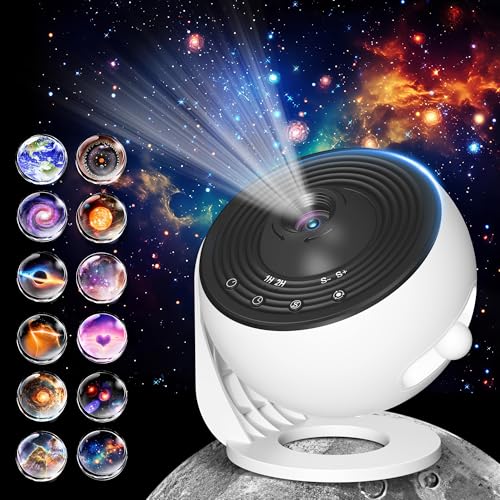
- 【Pro Version 12 in 1 Planetarium Projector】: Please pull the tray handle to replace the slide to...
- 【Adjust the Knob to Get HD Projection】:This upgraded galaxy projector uses better optical...
- 【Timer Function & Simple 4-Button Control】: This star projectors boasts for its easy-to-use...
Which galaxy projector won’t let me down when my child is scared of the dark?
When your kid is scared and needs the stars to stay on, a flickering projector is the last thing you need. The Govee Galaxy Light Star Projector 2 Pro delivers consistent power through its high-quality USB cable, so the light never wavers.
I also love that I can set a timer from my phone, so the projector turns off after my daughter falls asleep. That reliability is what finally worked for our bedtime routine.

- IMMERSIVE BEDTIME STORYTIME: Turn bedtime into a magical reading experience with projected story...
- INCLUDES THE THREE LITTLE PIGS: Bring the classic fairy tale to life with colorful projected...
- SMARTPHONE PROJECTOR: Clip the Moonlite Projector onto most smartphones, open the Moonlite App...
Can I fix a loose USB port on my galaxy projector myself?
Sometimes you can fix a loose port by gently bending the metal tab inside the connector back into shape. I used a toothpick to carefully adjust mine, and it worked for a few more weeks.
However, this fix is temporary at best. If the port is physically damaged, you are better off replacing the projector or using a different cable that fits more snugly.
Does the length of the USB cable affect the projector’s performance?
Yes, longer USB cables can cause power loss over distance. I learned this when I tried a six-foot cable and got constant flickering.
Stick with a cable that is three feet or shorter for the most stable connection. A shorter cable delivers power more efficiently and reduces the chance of interference.
Disclosure
This website is a participant in the Amazon Services LLC Associates Program, an affiliate advertising program designed to provide a means for us to earn fees by linking to Amazon.com and affiliated sites.